Deposit on IQ Option Vietnam: Visa/Mastercard, Internet Banking & E-wallets
Writen By

Online Trading Platform Researcher and Guide Writer
Researches broker platforms and trading account Systems.
Funding your trading account from Vietnam often raises questions about which local payment channels work, transaction fees, and bank-imposed restrictions. Card payments, domestic internet banking and popular e-wallets are commonly available, but processing times, currency conversion and daily limits differ by provider and card issuer. Preparing the right card settings (3D Secure), confirming sufficient balance, and knowing minimum deposit thresholds helps avoid rejected transactions and delays when you add funds.
This article provides clear, practical steps for depositing with Visa/Mastercard, using Vietnam internet banking (Techcombank, Vietcombank and others) and common e-wallets, plus expected processing times, typical fees, minimums, and troubleshooting tips for failed transfers. You’ll also get quick security checks to verify transactions and guidance on what to collect before contacting support so deposits complete smoothly.
This article provides clear, practical steps for depositing with Visa/Mastercard, using Vietnam internet banking (Techcombank, Vietcombank and others) and common e-wallets, plus expected processing times, typical fees, minimums, and troubleshooting tips for failed transfers. You’ll also get quick security checks to verify transactions and guidance on what to collect before contacting support so deposits complete smoothly.

Bank Cards (Visa / Mastercard)
1. Visit IQ Option website or mobile app.2. Login to your trading account.
3. Click on the “Deposit” button.
If you are in our home Page, press the "Deposit" button in the upper right corner of the main website page.
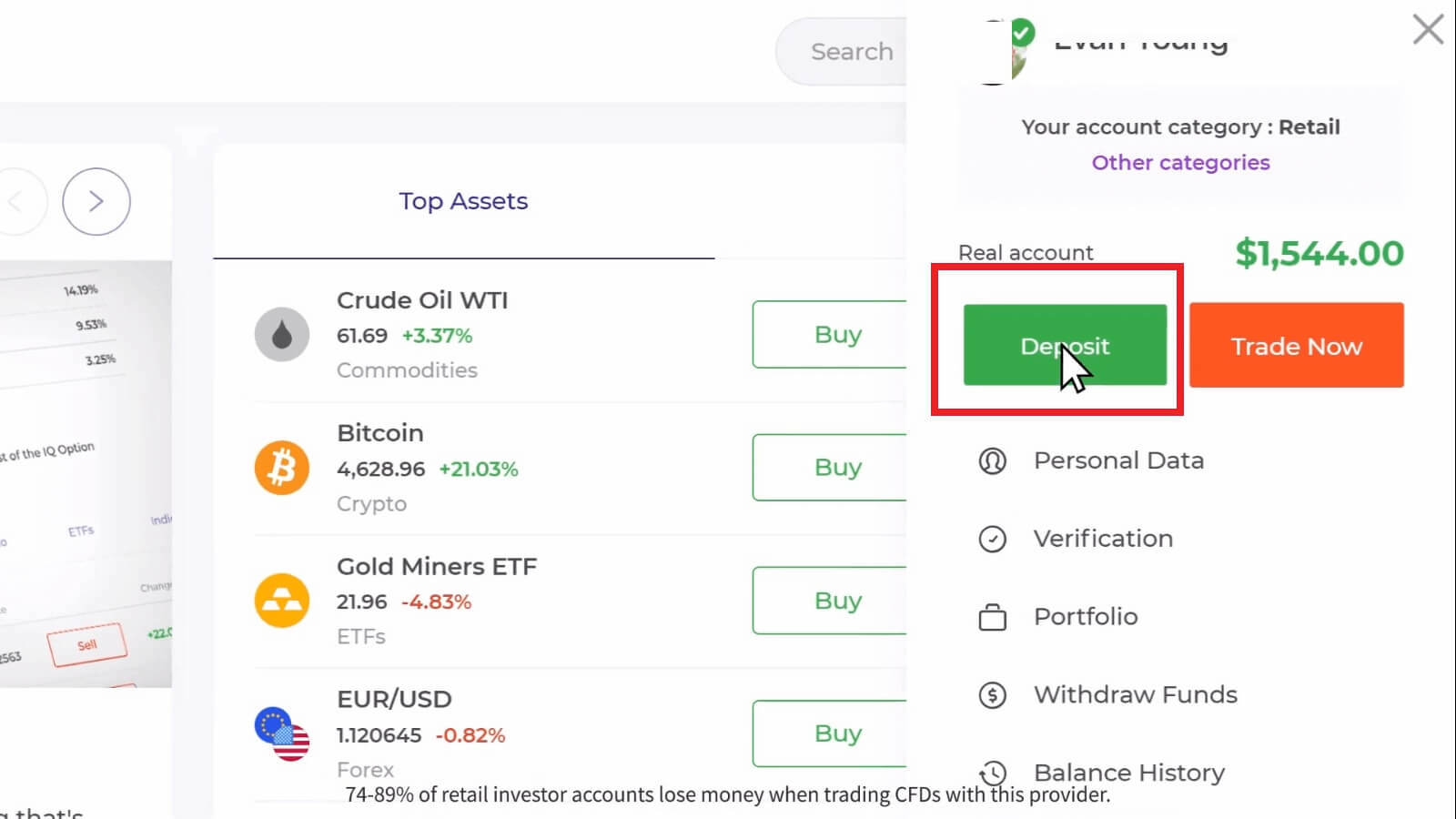
If you are in the trade room, press on the green ‘Deposit’ button. This button is located at the top right corner of the page.

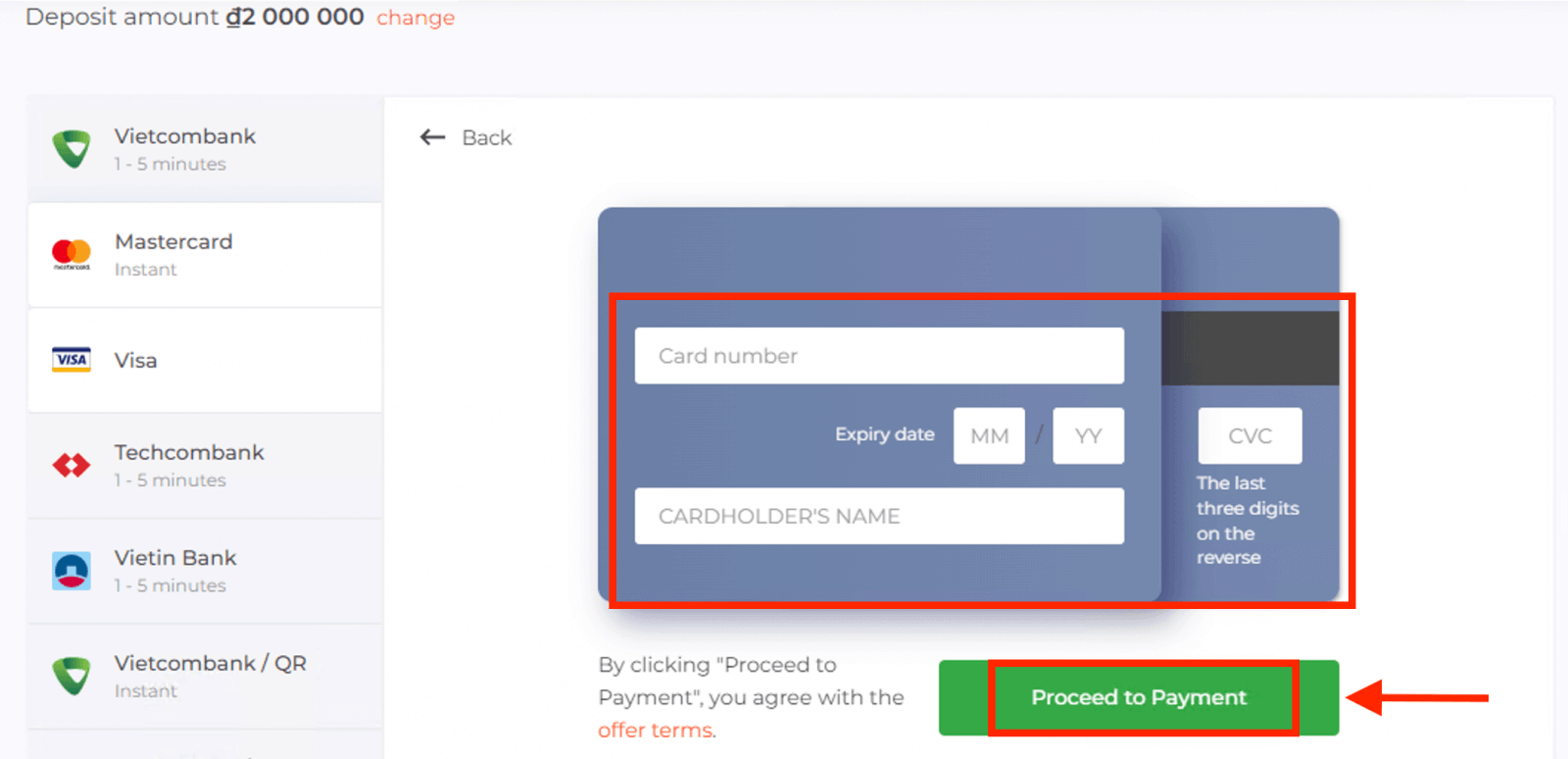
4. Select "Visa" or "Mastercard" payment method, then you may enter a deposit amount manually or select one from the list and press "Proceed to Payment".
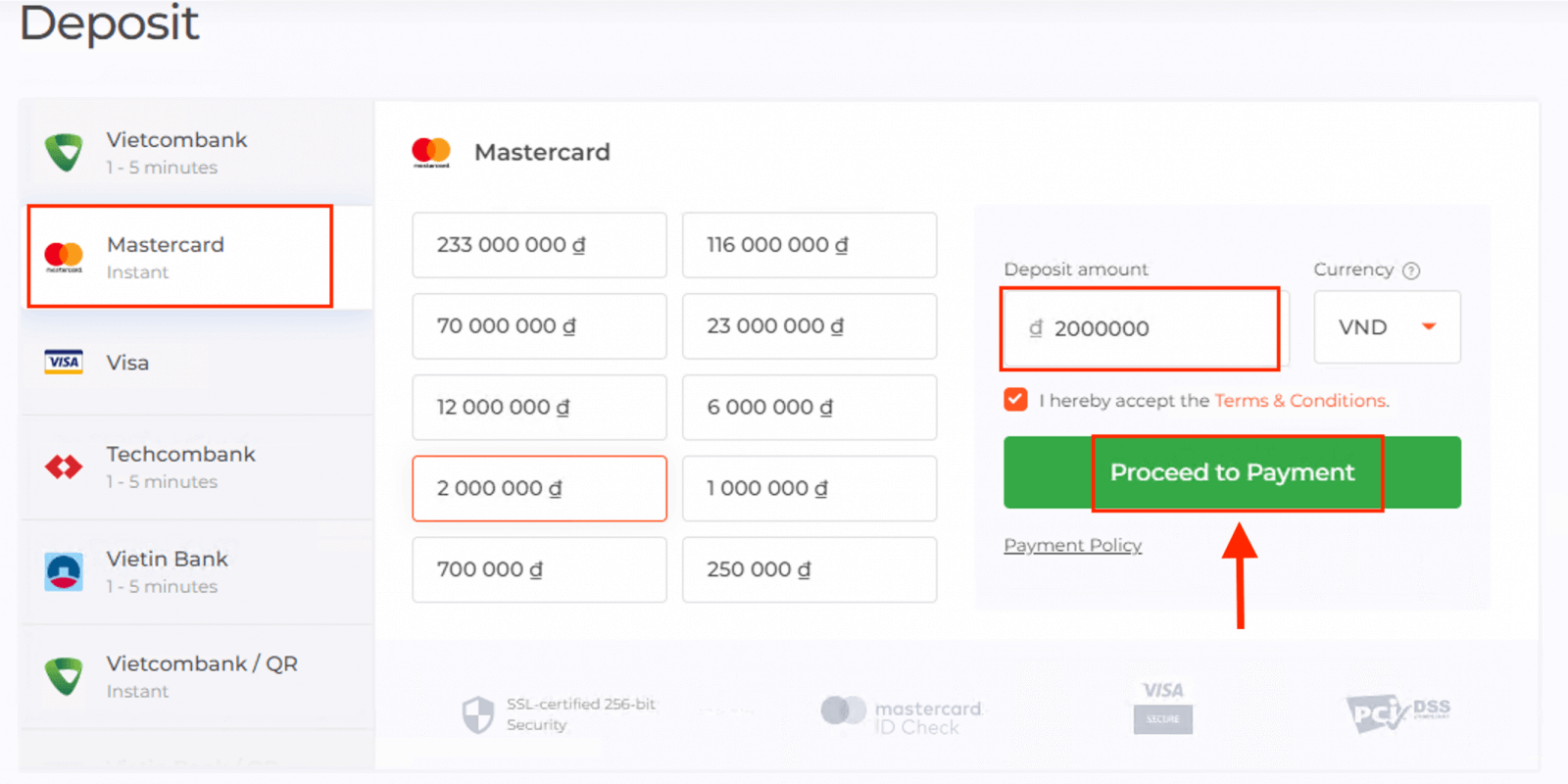
5. You will be redirected to a new page where you will be requested to enter your card number, cardholder name and CVV.Payment methods available to the reader may be different. For the most up-to-date list of available payment methods, please refer to the IQ Option trading platform
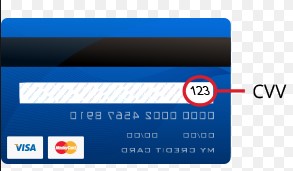
The CVV or СVС code is a 3-digit code that is used as a security element during online transactions. It is written on the signature line on the back side of your card. It looks like below
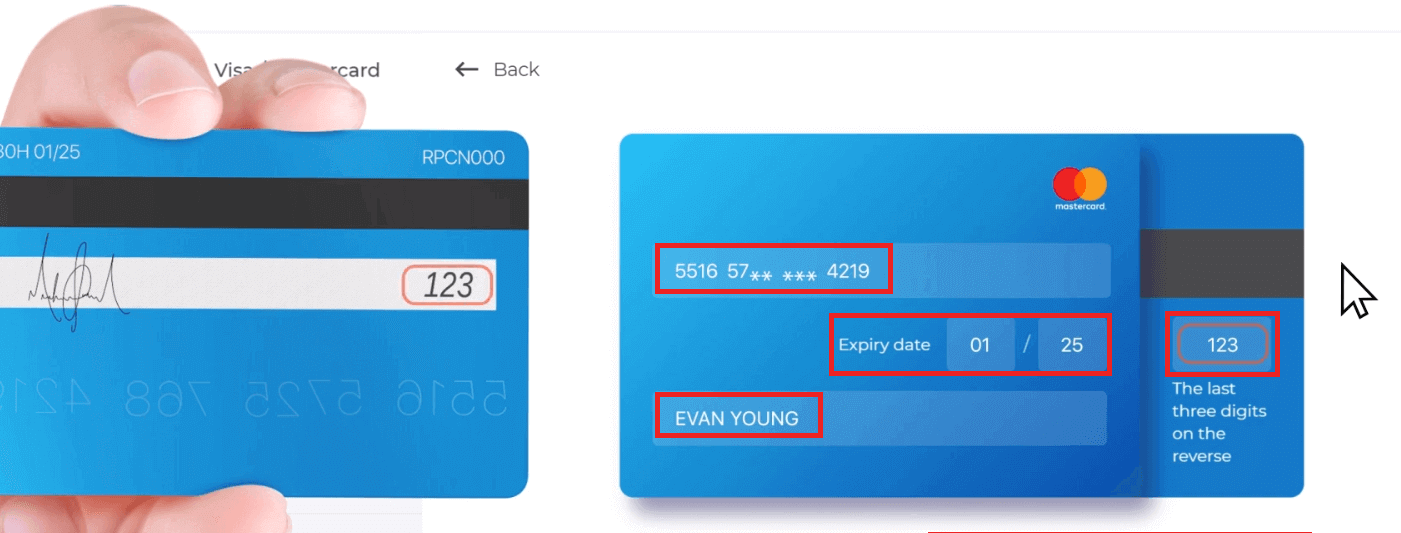
To complete the transaction, press the "Proceed to Payment" button.
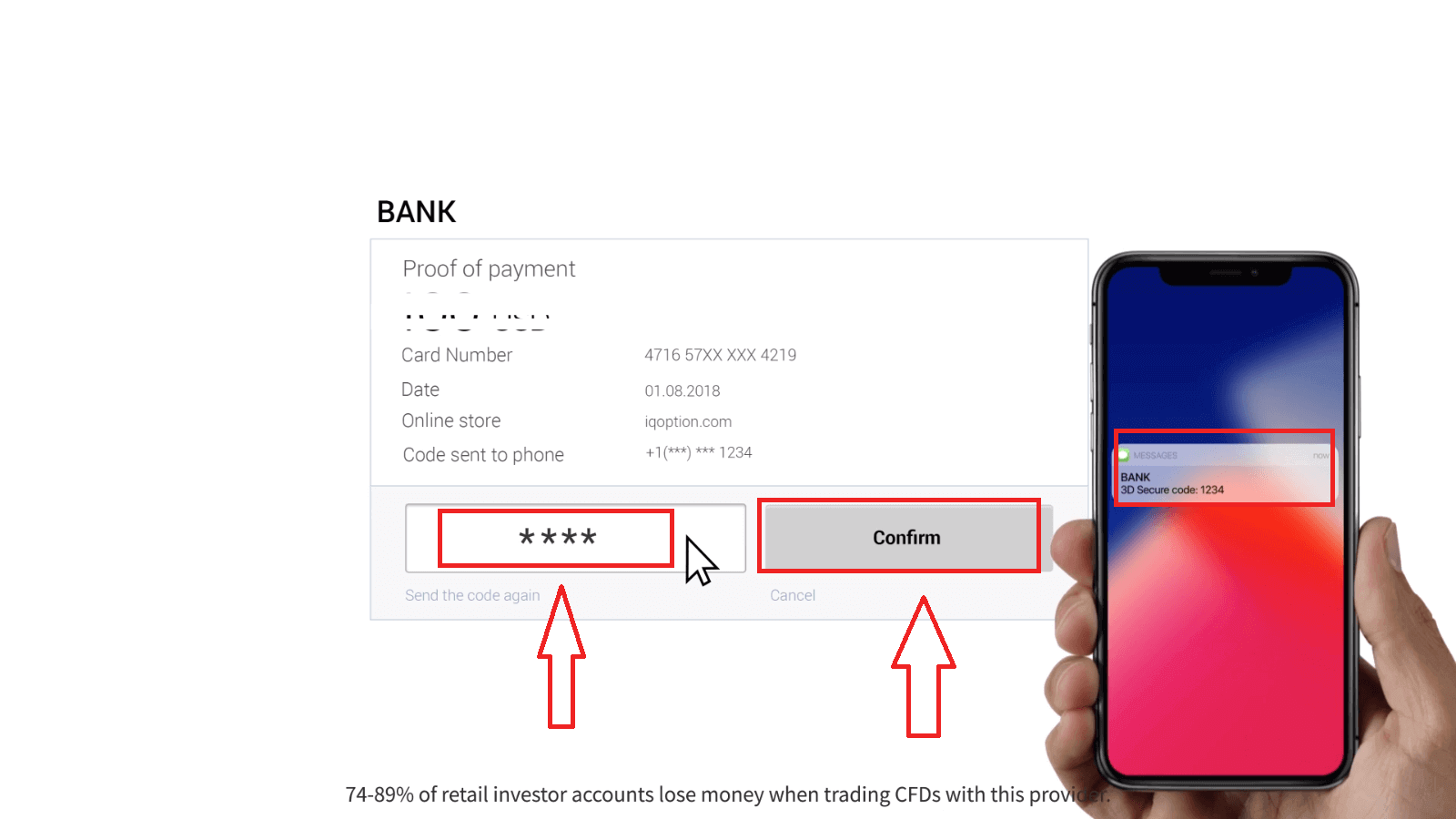
On the new page that opened, enter the 3D secure code (a one time password generated to your mobile phone that confirms the security of the online transaction) and click the "Confirm" button.
If your transaction has been completed successfully, a confirmation window will appear and your funds will be credited to your account instantly.
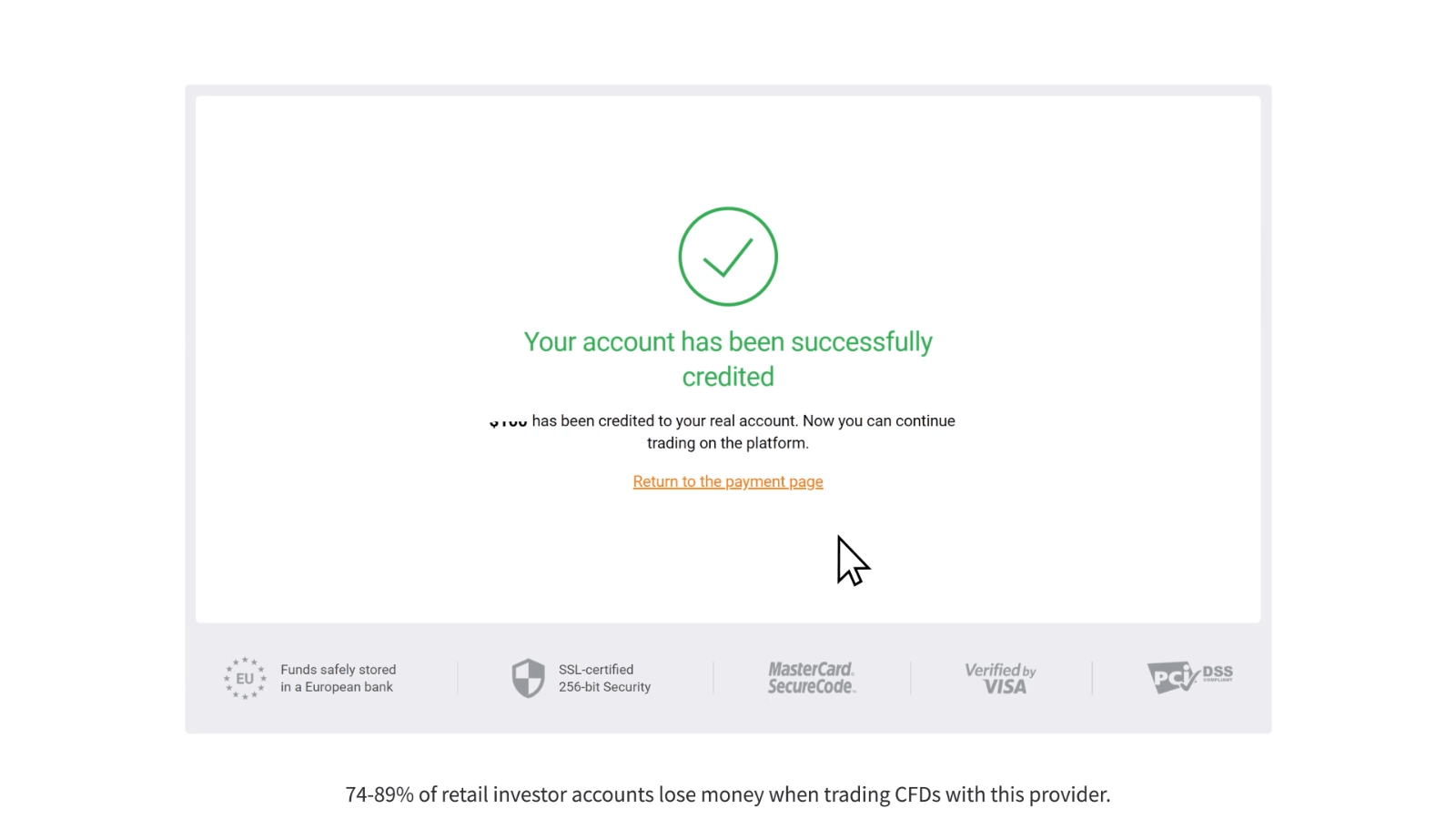
When making a deposit, your bank card gets linked to your account by default. Next time you make a deposit, you wont have to enter your data again. You will only need to choose the necessary card from the list.
Internet Banking (Techcombank, Vietcombank, VietinBank, ACB, Sacombank, DongA Bank, BIDV, Eximbank, Maritime bank, NAM A BANK, Viet Capital Bank, VP Bank )
1. Click on the “Deposit” button.If you are in our home Page, press the "Deposit" button in the upper right corner of the main website page.
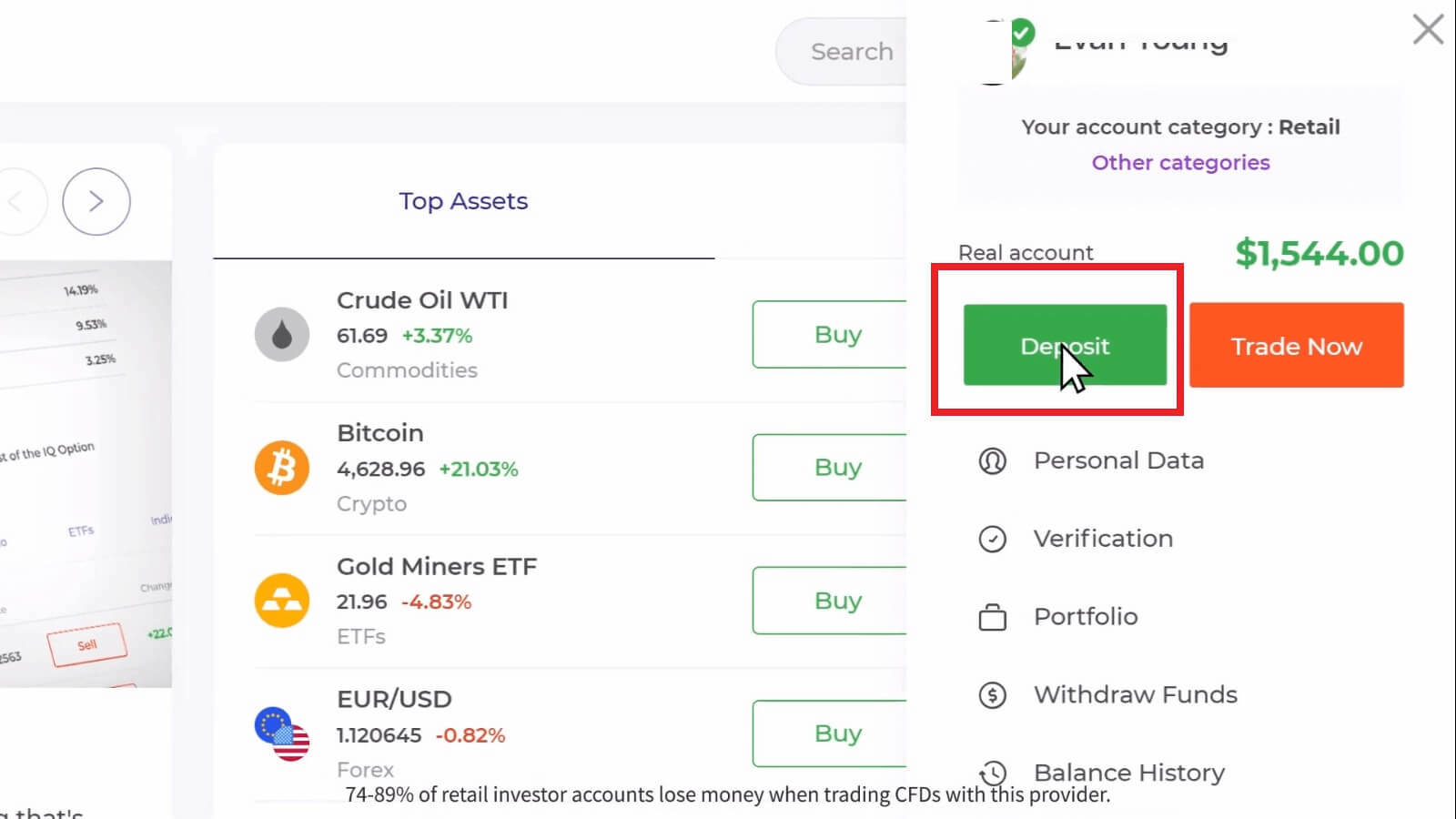
If you are in the trade room, press on the green ‘Deposit’ button. This button is located at the top right corner of the page.

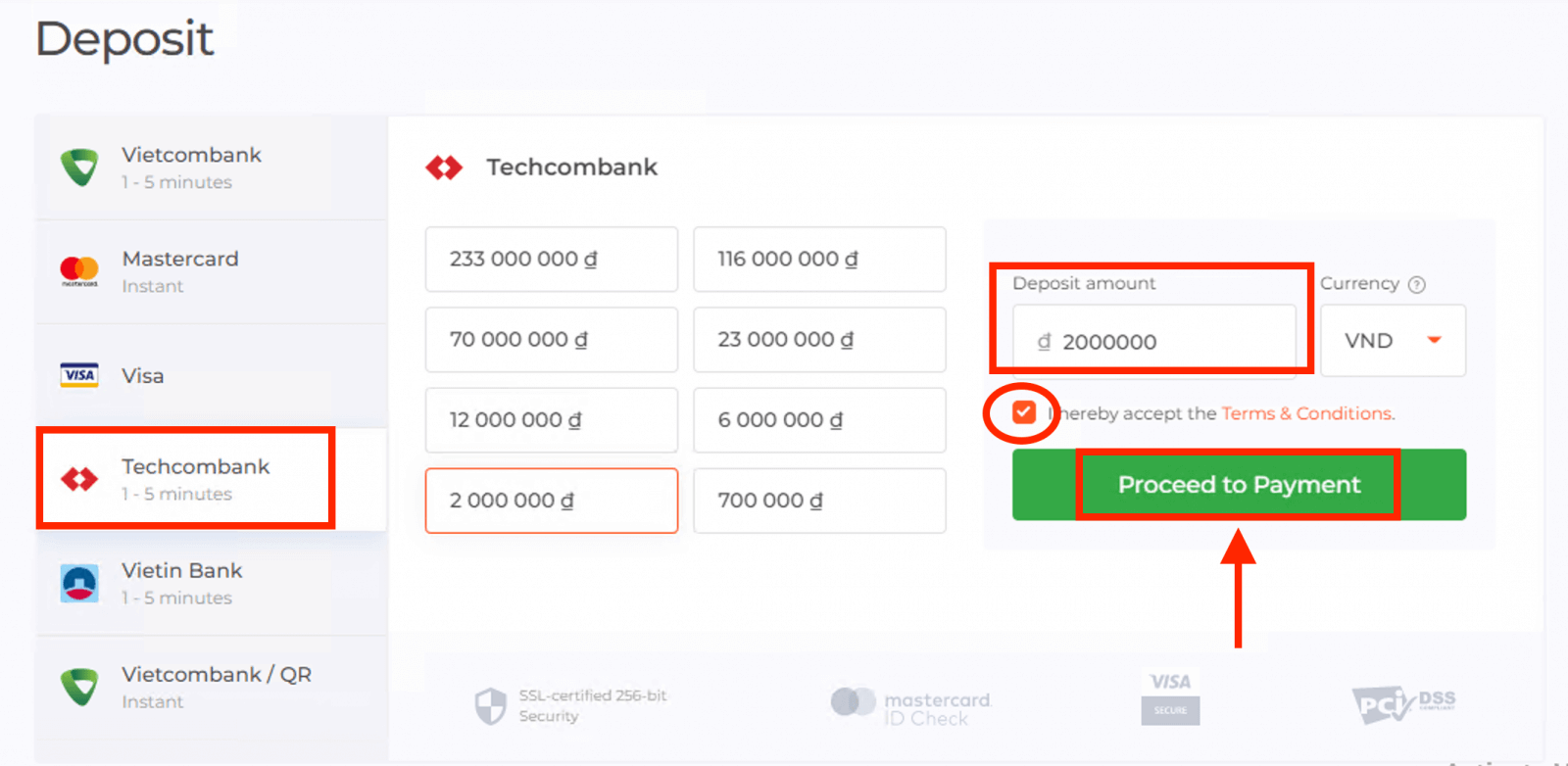
2. Select the bank you would like to deposit (in our case it is Techcombank), then you may enter a deposit amount manually or select one from the list and press "Proceed to Payment".
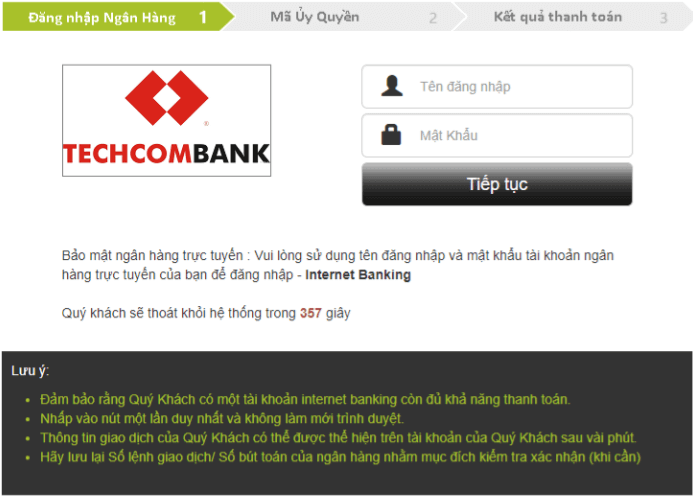
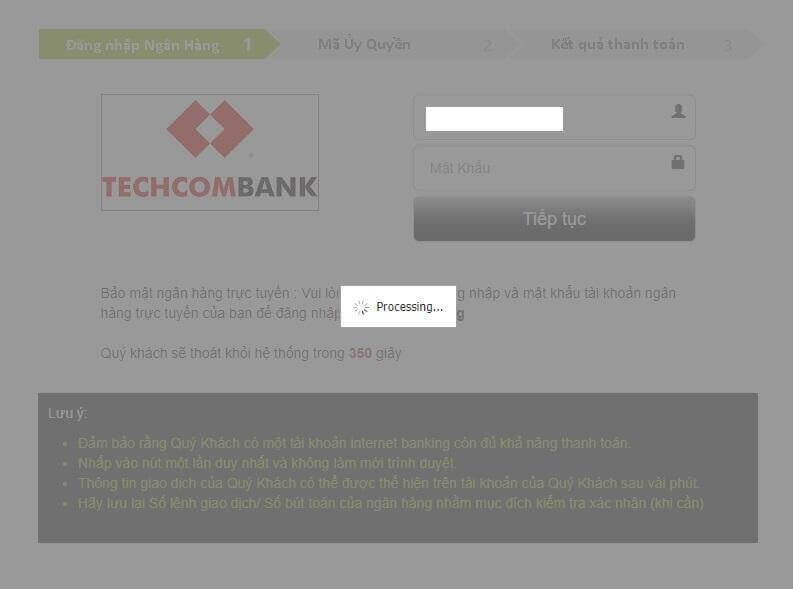
Enter your bank account username and password and click on the “Continue” button.
Note: you have to complete the operation within 360 seconds.
3. Please wait while the system is connecting to your bank account and do not close this window.
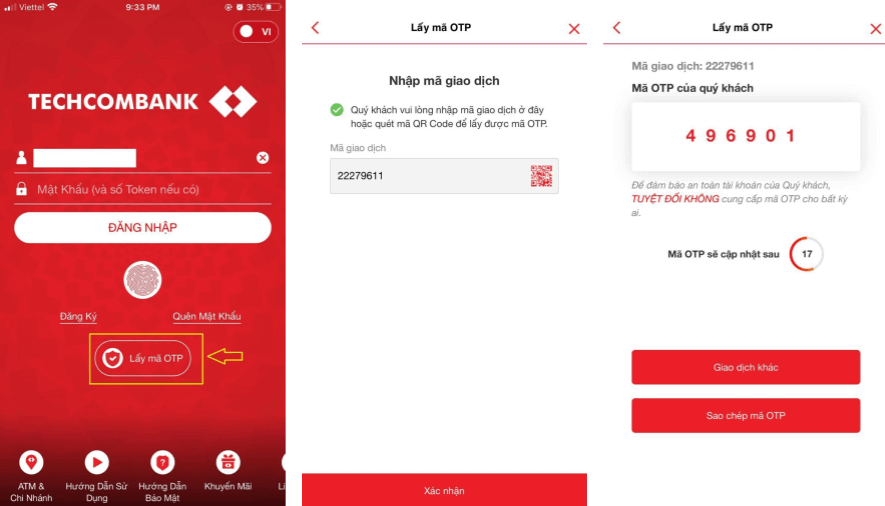
4. Then you will see the transaction ID, that will help to get the OTP on your phone.
It is very easy to get the OTP code:
- click on the “Get the OTP Code” button.
- enter the transaction ID and click the “Confirm” button.
- receive the OTP code.
5. If the payment was successful you will be redirected to the following page with the amount of the payment, date and transaction ID indicated.
E-wallets (Neteller, Skrill, Advcash, WebMoney, Perfect Money)
1. Visit IQ Option website or mobile app.2. Login to your trading account.
3. Click on the “Deposit” button.
If you are in our home Page, press the "Deposit" button in the upper right corner of the main website page.
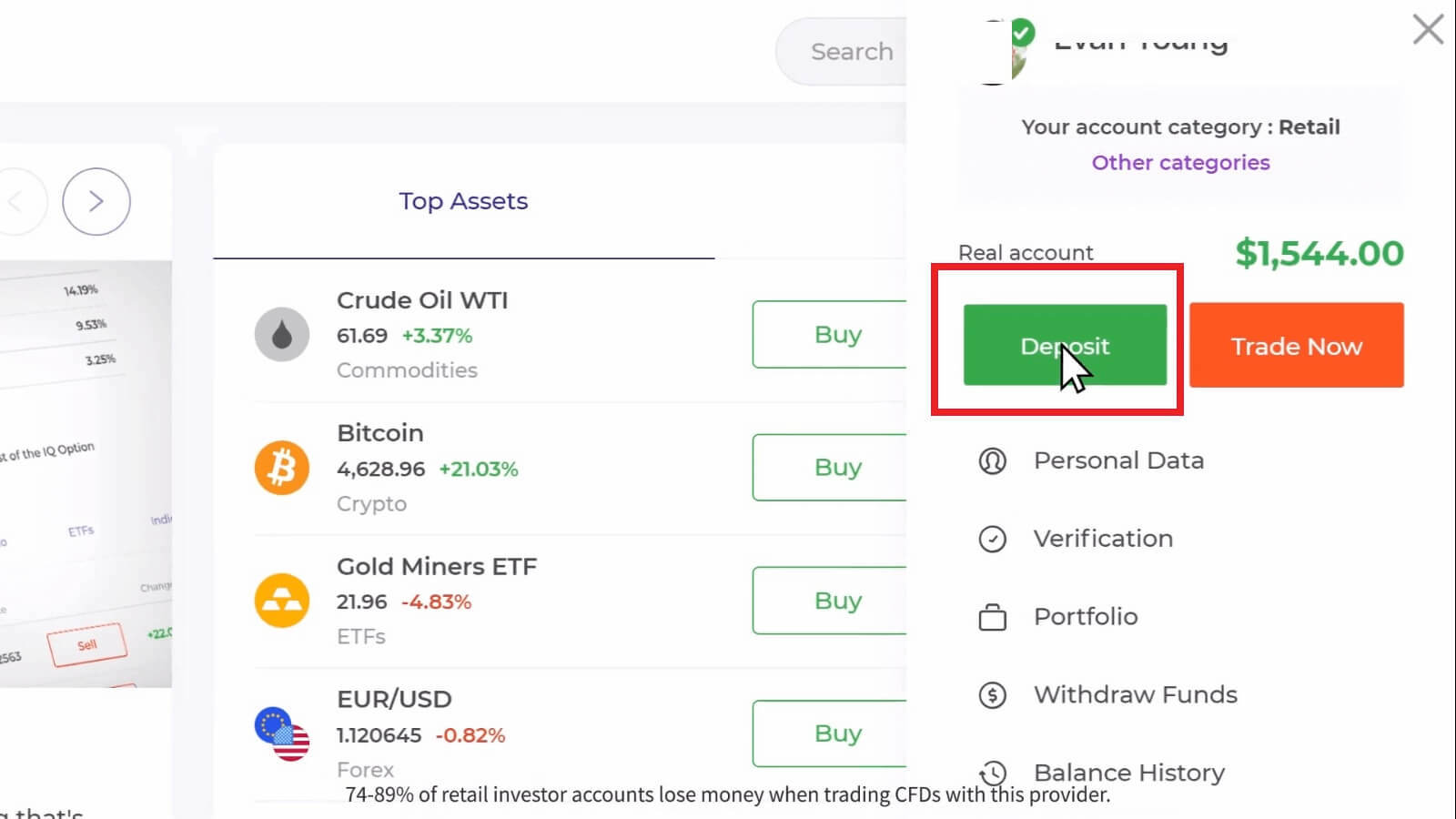
If you are in the trade room, press on the green ‘Deposit’ button. This button is located at the top right corner of the page.

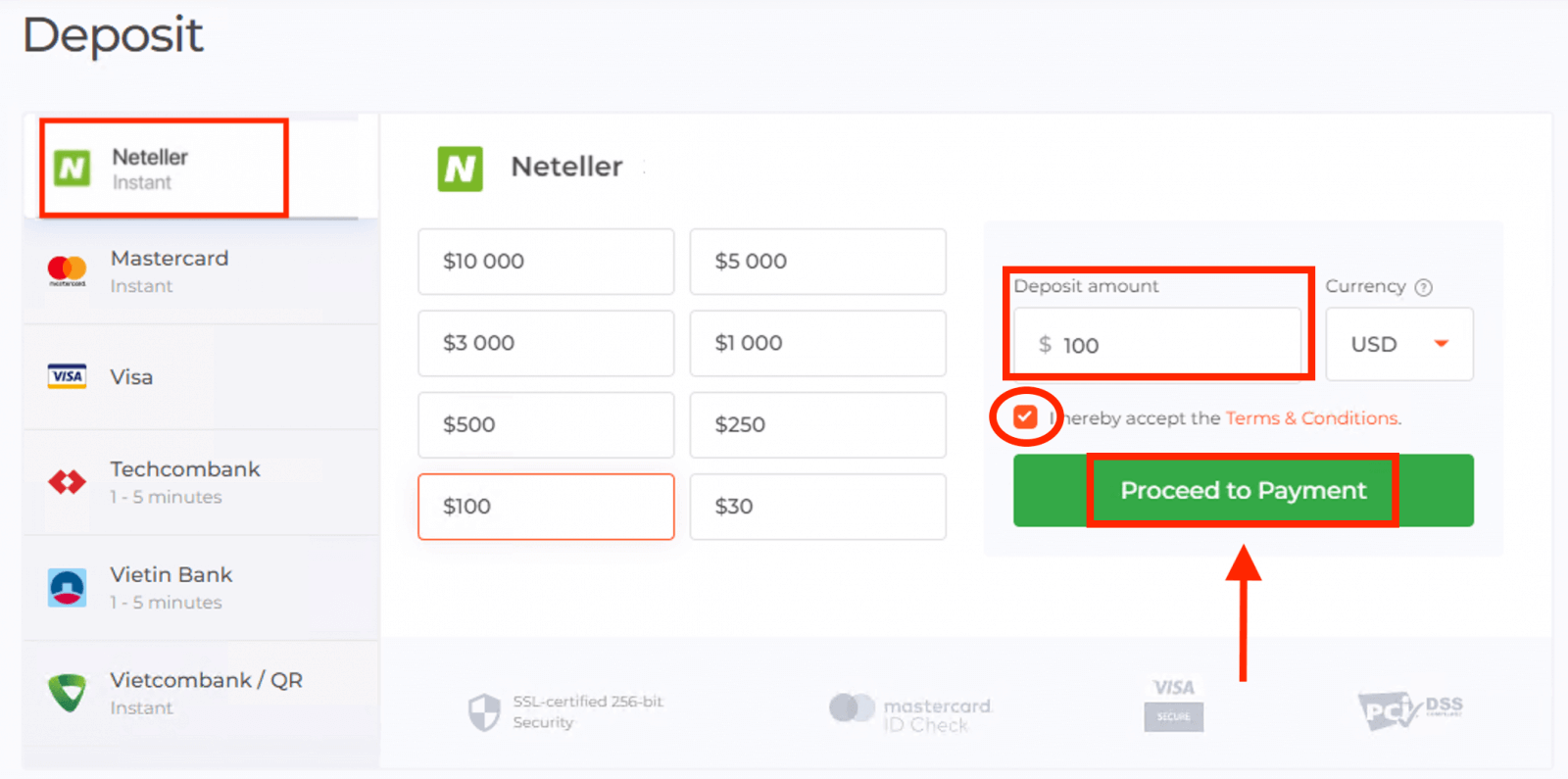
4. Select "Neteller" payment method, then you may enter a deposit amount manually or select one from the list and press "Proceed to Payment".
5. Enter email address you used to sign up with Neteller and press "Continue".The minimum deposit is 10 USD/GBP/EUR. If your bank account is in a different currency, the funds will be converted automatically.
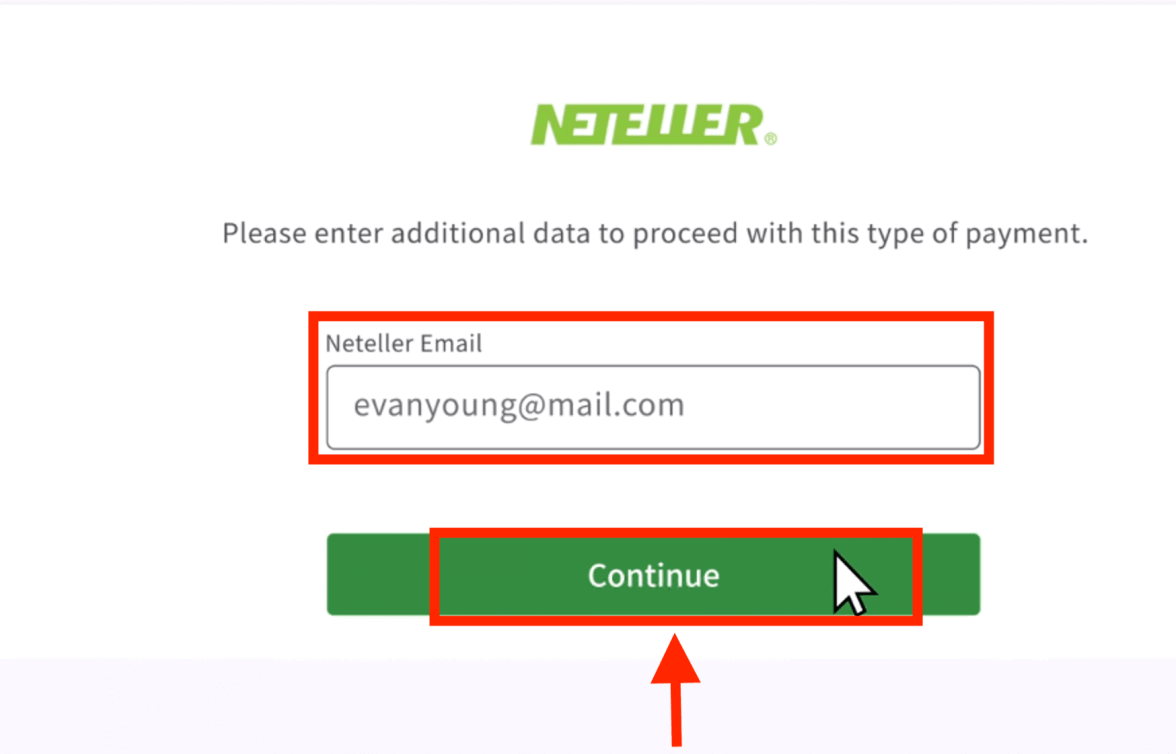
6. Now enter the password of your Neteller account in order to sign in and press "Continue".
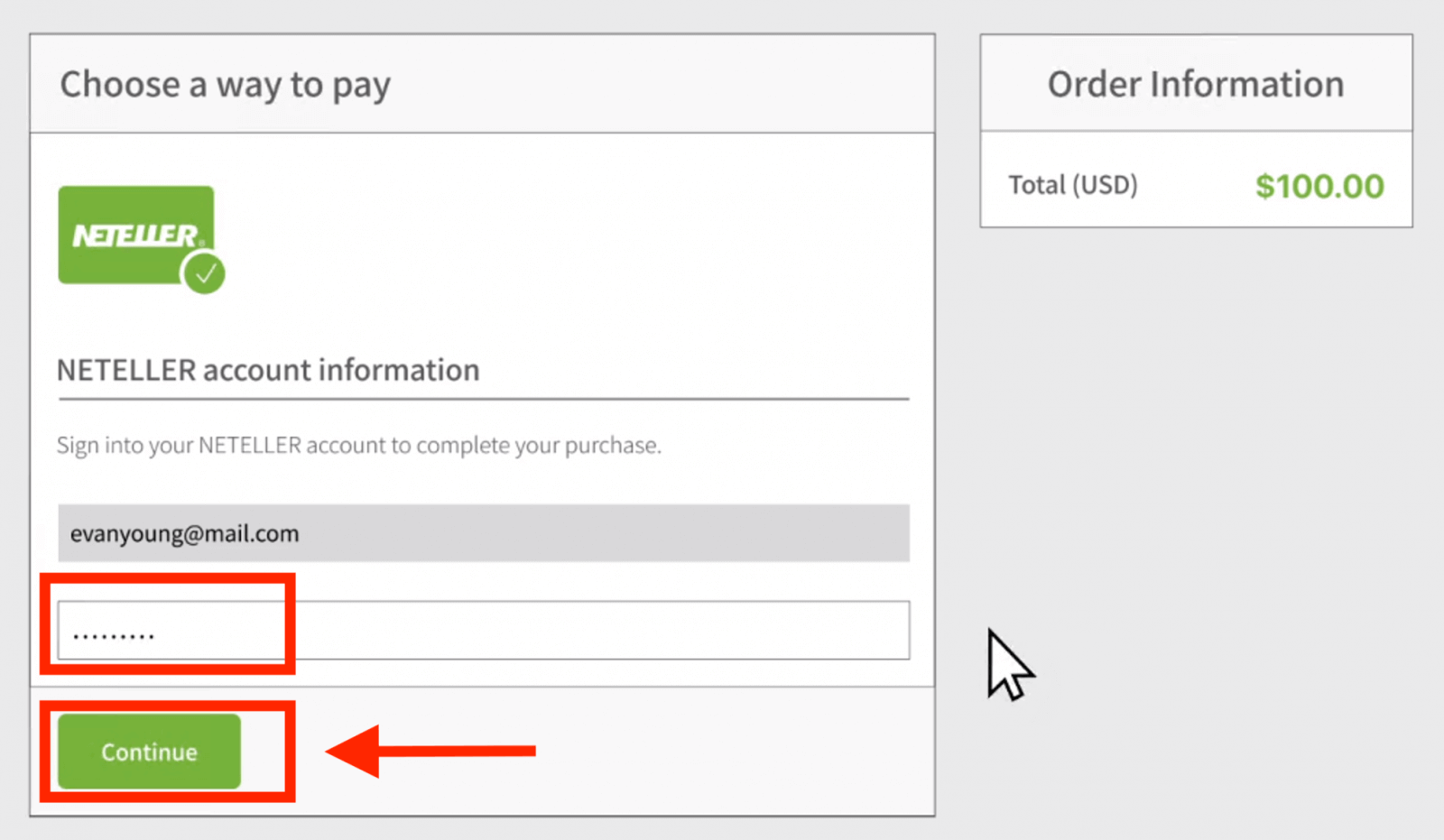
7. Check the payment information and click "Complete order".
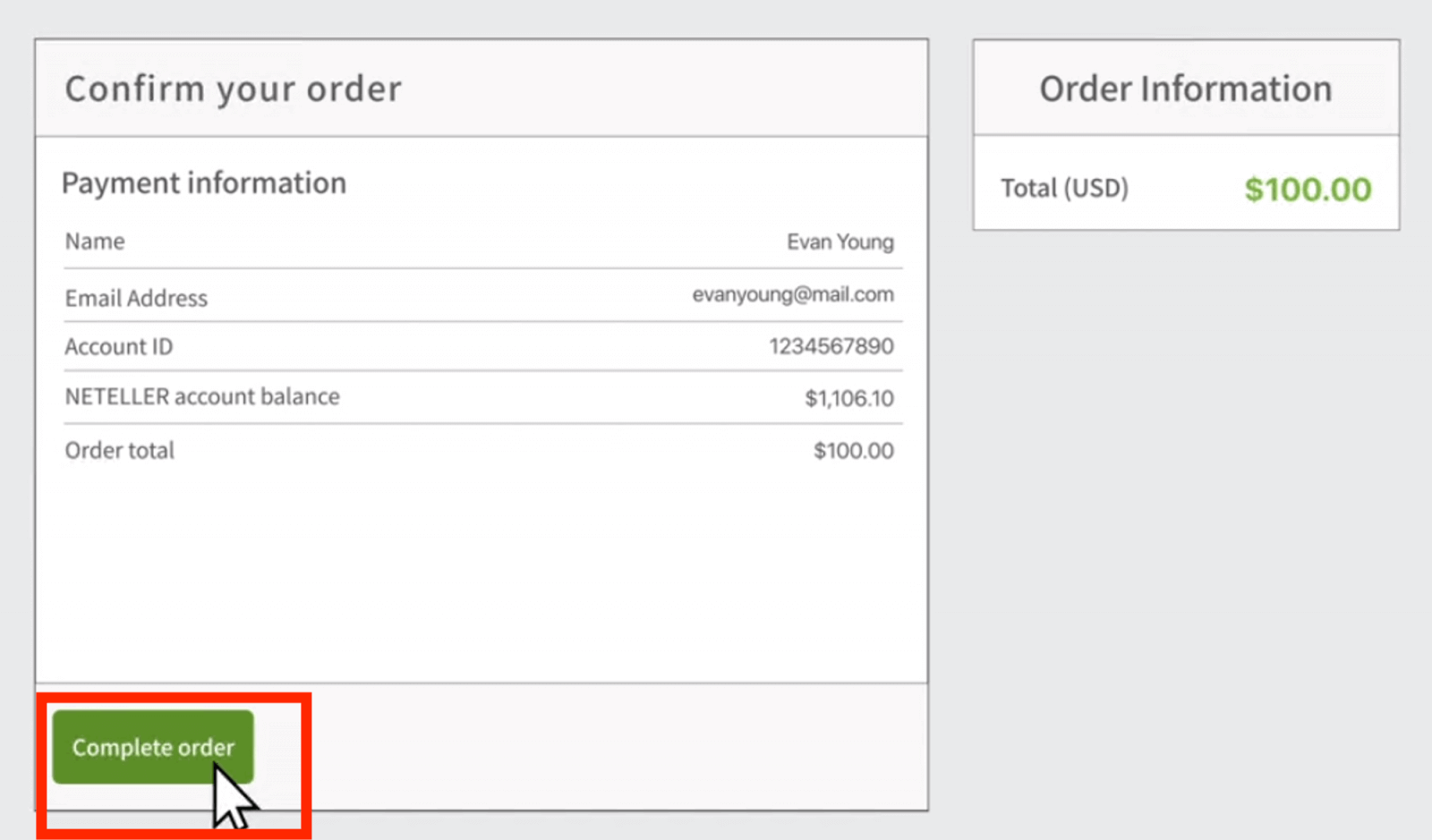
8. Once your transaction has been successfully completed, a confirmation window will appear.
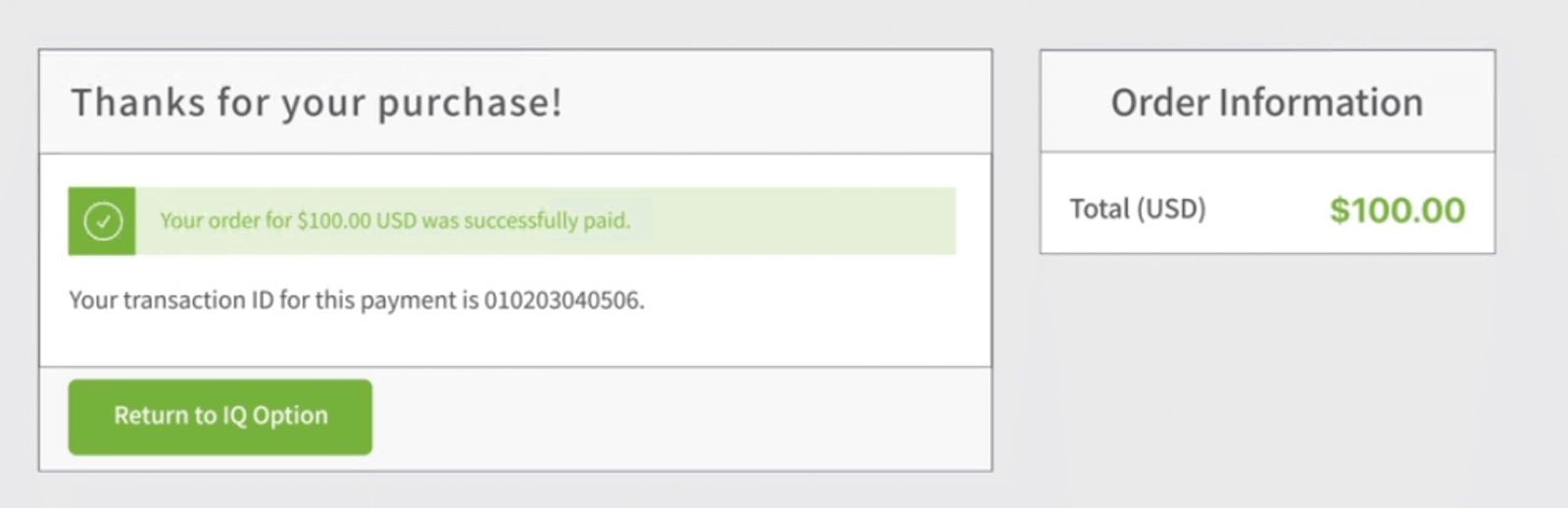
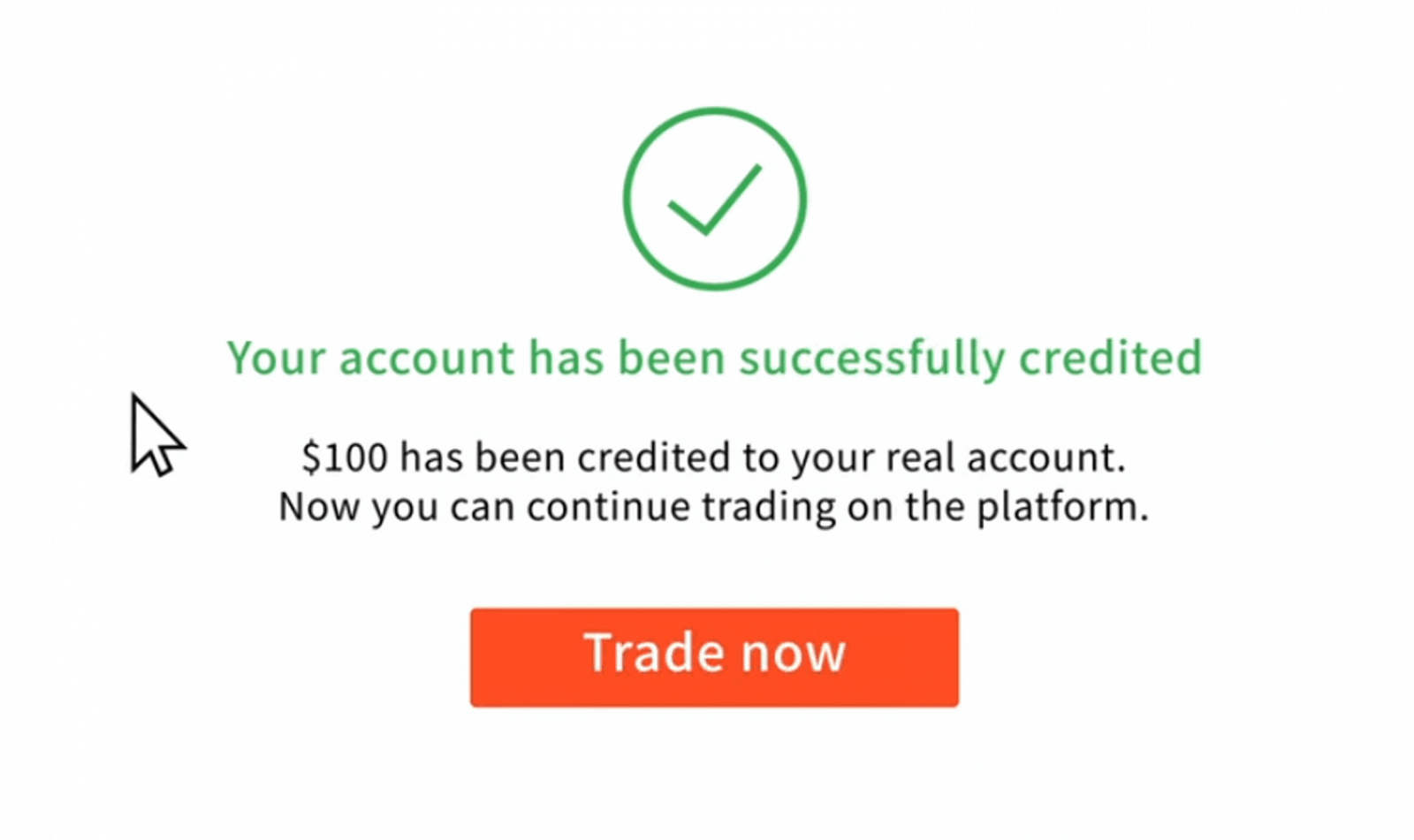
Your funds will be credited to your real balance instantly.
FAQs
IQ Option’s minimum deposit can vary by payment method and your account type; typically card and e-wallet deposits accept relatively low minimums while some local bank transfers may require higher amounts. Check the deposit screen in your account for the exact minimum before initiating a transfer and confirm any bank-imposed minimums separately.
Log into your IQ Option account, open the Deposit page, choose local internet banking, select your bank, enter the amount and follow the on-screen redirect to your bank’s secure login. Approve the transaction with your bank’s OTP or token, then return to IQ Option and wait for confirmation. Keep payment reference numbers and a screenshot until the funds appear.
Declines often occur due to insufficient funds, 3D Secure not enabled, daily card limits, or the bank blocking international/merchant categories. Verify your card is allowed for online payments, enable 3D Secure, contact your bank to lift transfer blocks, try a different payment method, and ensure the billing name matches your IQ Option profile. If the problem persists, save error messages and contact support with timestamps.
Yes. Some banks may block forex or online trading merchant categories, and currency conversion fees can apply if you fund in VND while your account base currency differs. E-wallets and cards may charge processing fees or impose daily limits. Always check your bank’s merchant policy, IQ Option’s available funding currencies, and any intermediary fees before depositing.
Deposits using cards and regulated e-wallets are generally secure when you use 3D Secure and a trusted network; however, IQ Option requires identity and address verification before withdrawals. Be prepared to upload a government ID, proof of address and a copy/photo of the card (masked) if requested. Never share OTPs and only deposit from payment methods registered in your name to avoid compliance holds.