IQ Option Deposit via Skrill: Steps, Limits & Processing Times
Writen By

Online Trading Platform Researcher and Guide Writer
Researches broker platforms and trading account Systems.
Depositing funds from a Skrill wallet to your IQ Option trading account is fast, but common issues like currency mismatches, Skrill transfer limits, or an unverified account can cause delays or rejected transactions. Wallet conversion fees and intermediary charges can also reduce the final credited amount, so double-check the currency, available balance, and any Skrill-imposed limits before confirming a transfer.
Below you’ll find a practical rundown of the Skrill funding flow on IQ Option: preparing your Skrill wallet, selecting Skrill at the deposit screen, confirming currencies and amounts, and verifying the transaction in the platform. The walkthrough covers minimum deposit guidance, typical processing windows, how to troubleshoot failed or pending transfers, and the verification and safety checks you should expect when using Skrill.
Below you’ll find a practical rundown of the Skrill funding flow on IQ Option: preparing your Skrill wallet, selecting Skrill at the deposit screen, confirming currencies and amounts, and verifying the transaction in the platform. The walkthrough covers minimum deposit guidance, typical processing windows, how to troubleshoot failed or pending transfers, and the verification and safety checks you should expect when using Skrill.

1. Visit IQ Option website or mobile app.
2. Login to your trading account.
3. Click on the “Deposit” button.
If you are in our home Page, press the "Deposit" button in the upper right corner of the main website page.
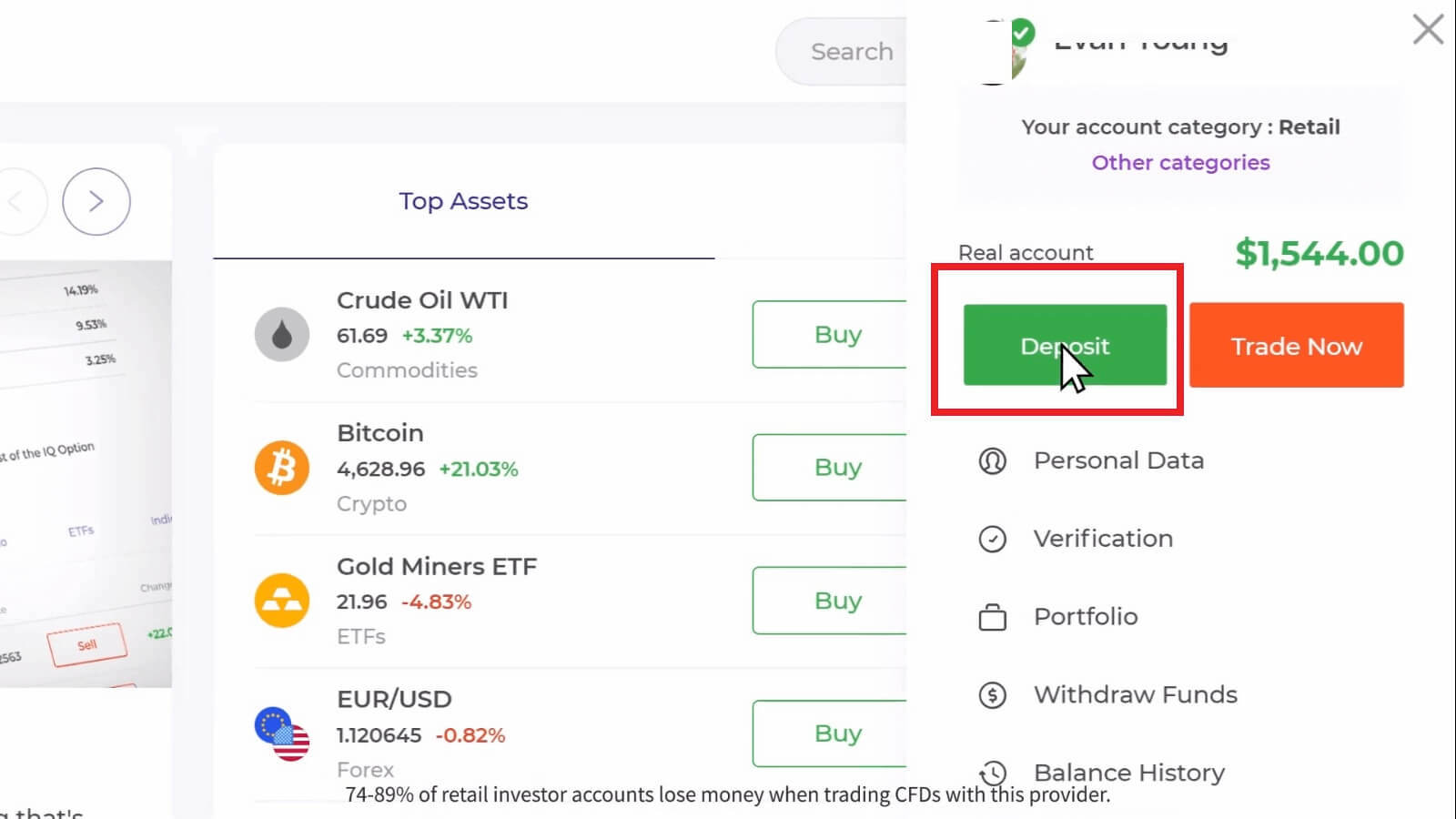
If you are in the trade room, press on the green ‘Deposit’ button. This button is located at the top right corner of the page.

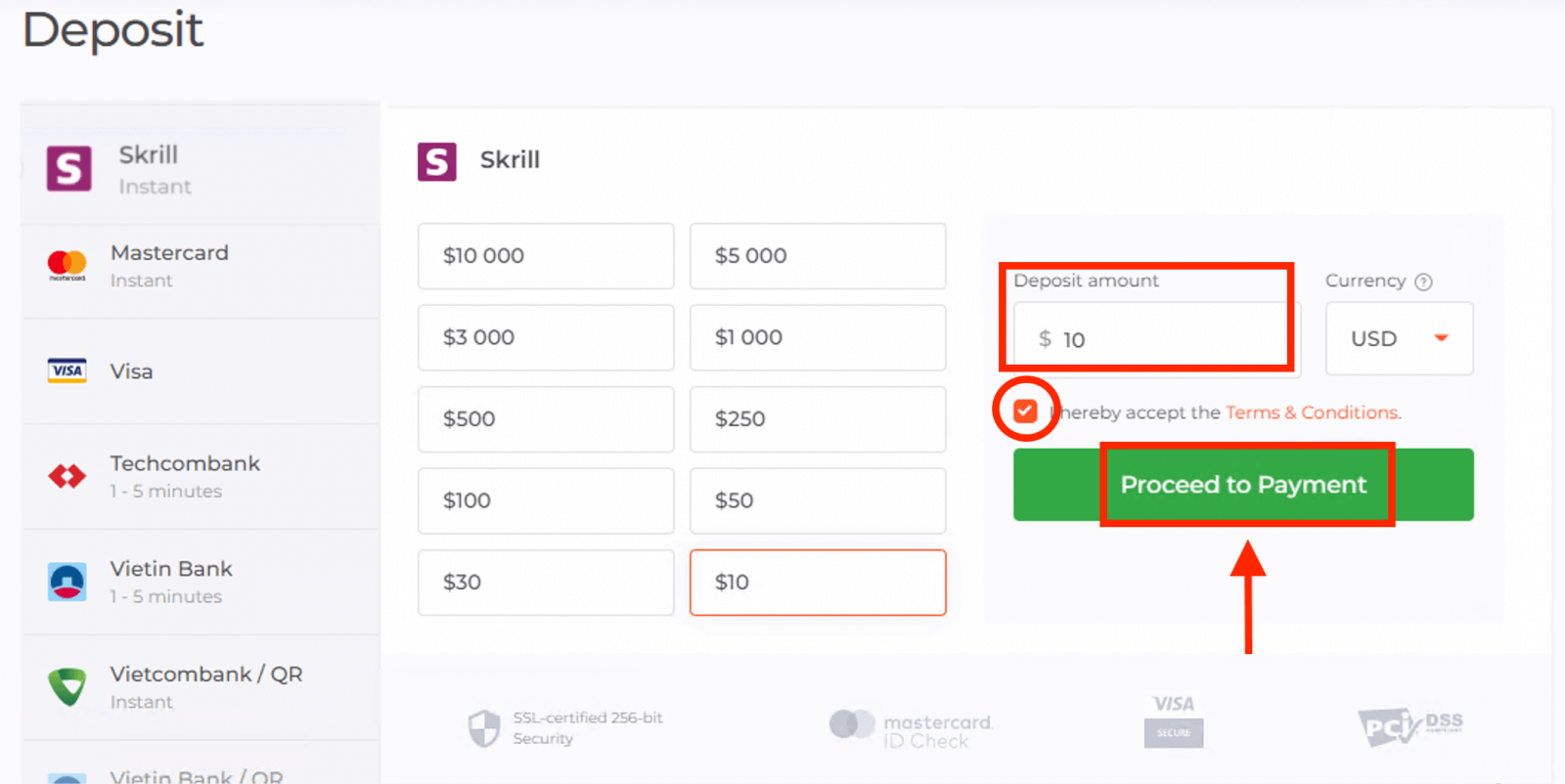
4. Select "Skrill" payment method, then you may enter a deposit amount manually or select one from the list and press "Proceed to Payment".
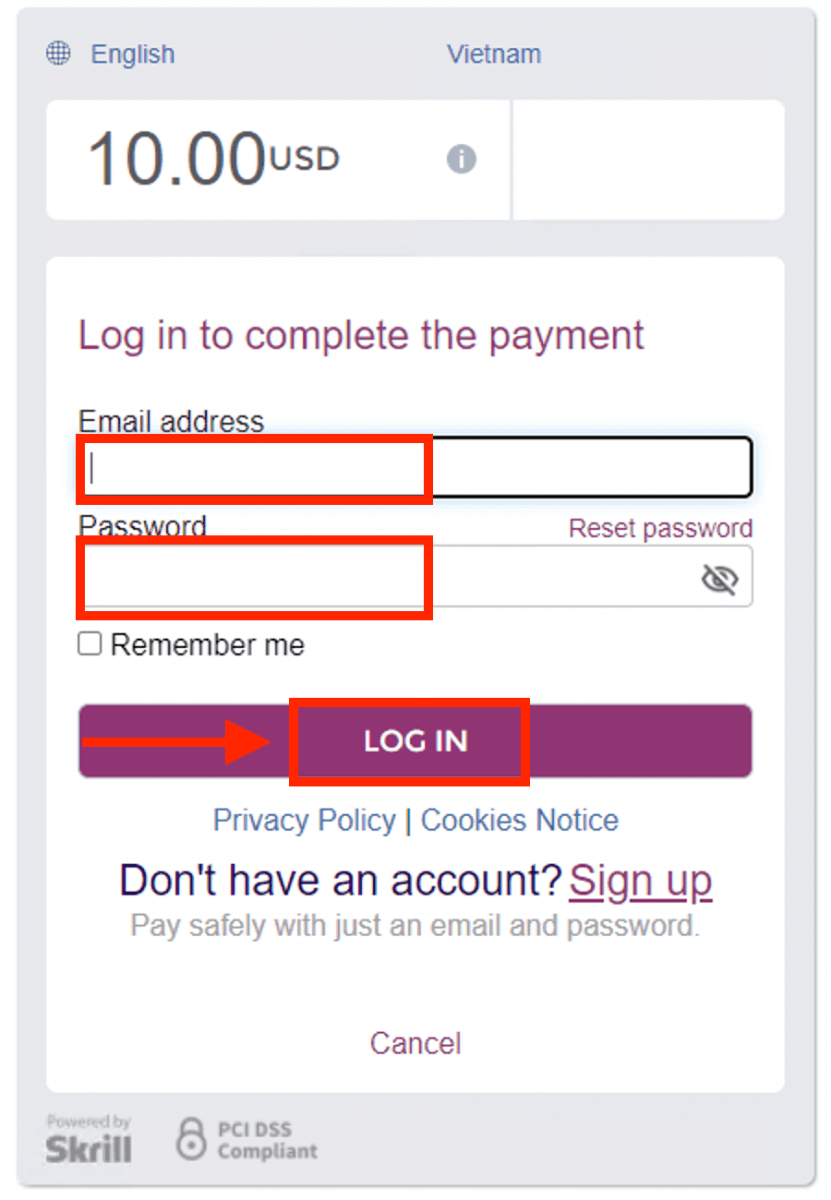
5. Enter email address and password you used to sign up with Skrill and press "LOG IN".Payment methods available to the reader may be different. For the most up-to-date list of available payment methods, please refer to the IQ Option trading platform
The minimum deposit is 10 USD/GBP/EUR. If your bank account is in a different currency, the funds will be converted automatically.
6. Click "PAY NOW".
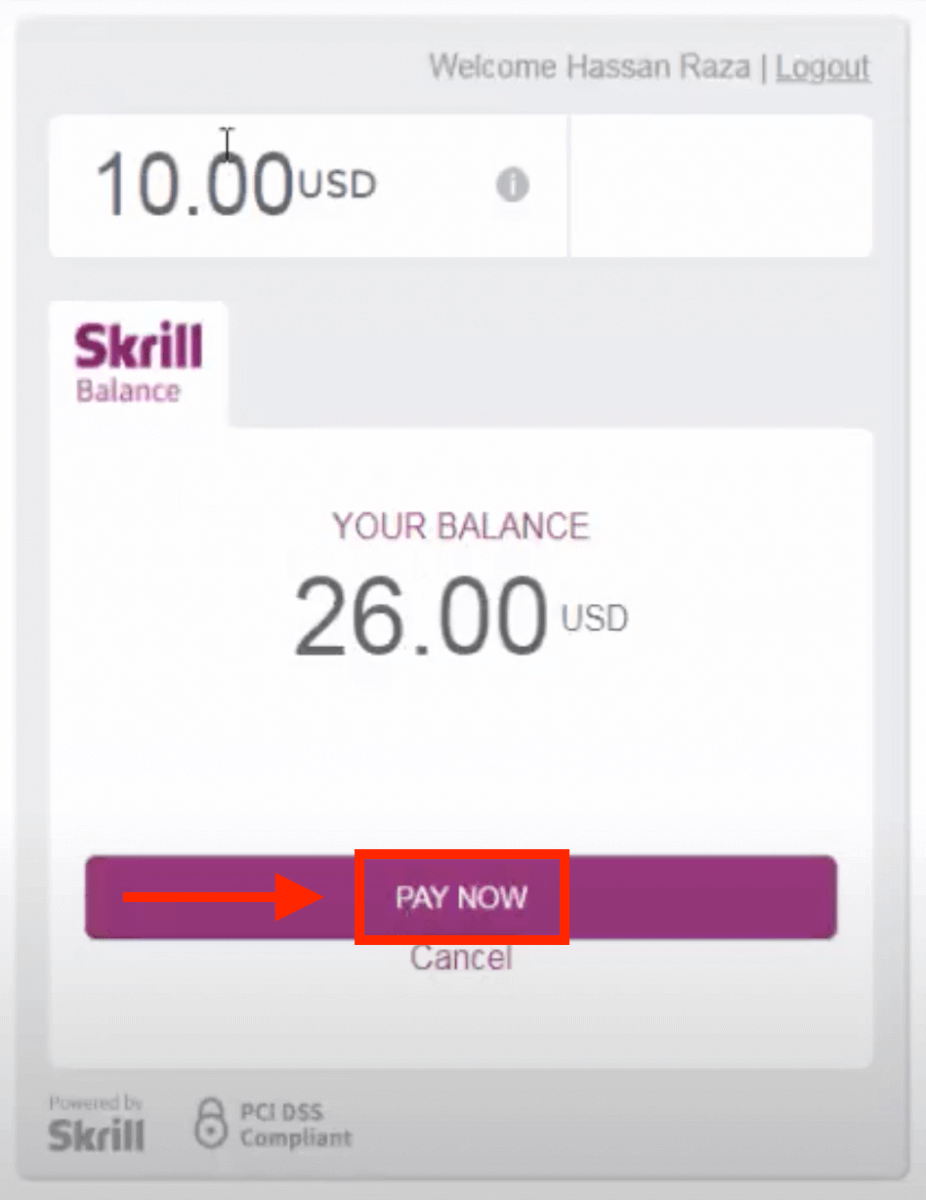
8. Once your transaction has been successfully completed, a confirmation window will appear.
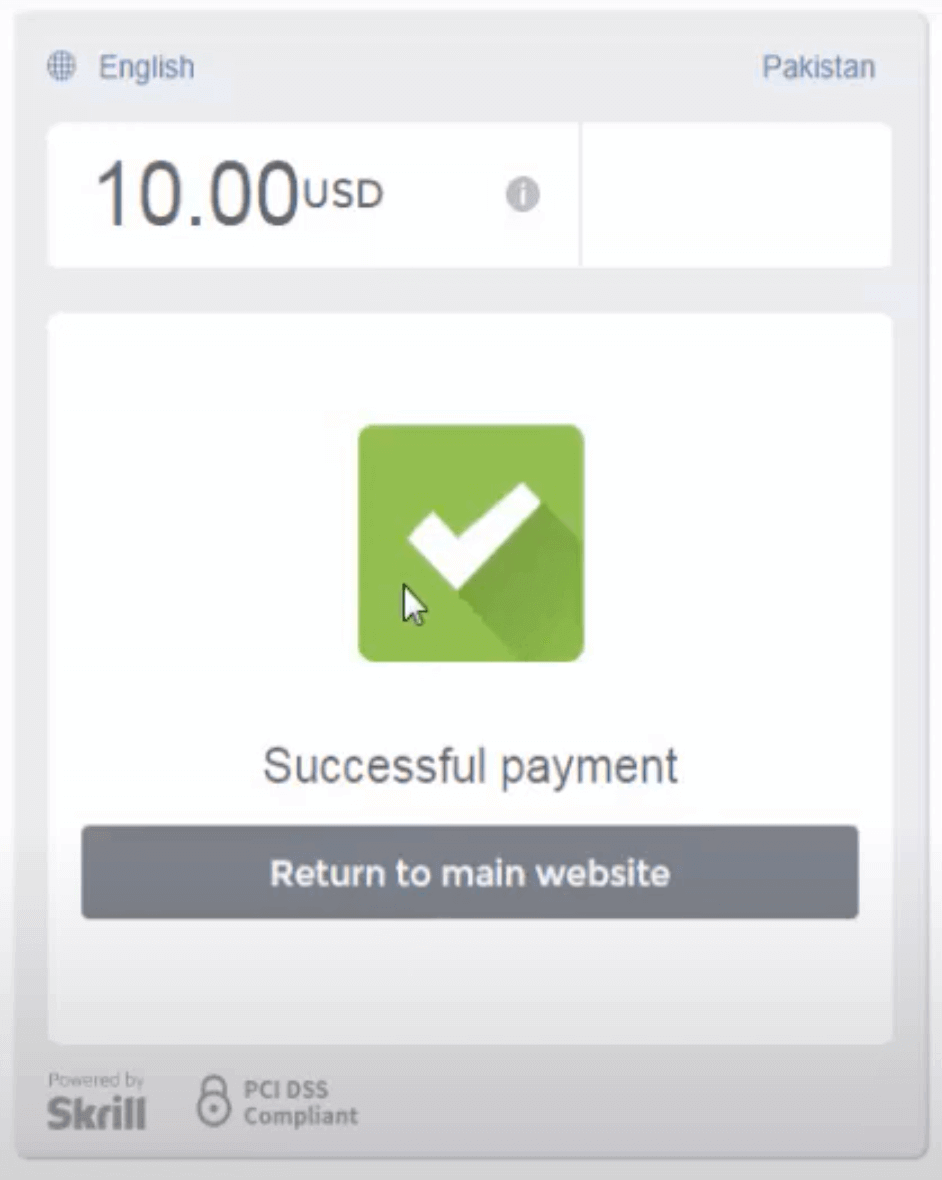
Your funds will be credited on your real balance instantly.
FAQs
IQ Option’s minimum for Skrill deposits follows the platform’s general minimum and depends on your account currency; many users see an amount close to $10 or its equivalent. Always check the deposit screen in your account before sending funds because conversion rates or Skrill limits can change the required minimum.
Open your IQ Option account, go to Deposit, choose Skrill as the payment method, enter the amount and currency, then confirm. You’ll be redirected to your Skrill login to authorize the payment; after confirmation you should see the funds in your IQ Option balance almost instantly or after the stated processing time.
Common causes include insufficient Skrill balance, currency mismatch between Skrill and your IQ Option account, daily/transaction limits on Skrill, an unverified IQ Option account, or a blocked payment by your bank. Check your Skrill transaction history, ensure currencies match, verify your IQ Option identity and payment method, and contact Skrill support or IQ Option support with screenshots if the transfer remains pending or rejected.
Yes. Skrill may charge a fee or apply currency conversion charges; IQ Option itself may not add extra deposit fees but will reflect the converted amount. Skrill enforces per-transaction and daily limits that depend on your account verification level and local rules, and not all currencies are supported without conversion—confirm both Skrill and IQ Option currency settings before transferring.
Using Skrill is generally secure if you keep credentials private and use two-factor authentication. IQ Option requires identity verification (ID and proof of address) for withdrawals and may request proof of payment for deposit reviews; ensure the Skrill account holder name matches your trading account to avoid holds or reversals.