IQ Option Deposit Methods, Minimums and Processing Times
Writen By

Online Trading Platform Researcher and Guide Writer
Researches broker platforms and trading account Systems.
Funding your IQ Option account correctly affects when you can trade and how payments are processed. Different deposit channels — credit/debit cards, e-wallets, bank transfers and regional payment systems — each have their own minimums, currency rules and provider restrictions. Small mistakes such as mismatched card details, failing a 3‑D Secure check, or using an unsupported currency commonly cause declines or holds; understanding these differences reduces delays and avoids unnecessary verification flags that can block access to funds.
Below you'll find clear, method-by-method instructions for making a deposit, typical processing windows, minimum deposit amounts, and common error fixes to try before contacting support. The guide also highlights payment security best practices, when verification documents may be requested, fees charged by banks or payment providers, and practical checks—such as using the same payment method for future withdrawals—to help you complete a successful funding transaction and start trading sooner.
Below you'll find clear, method-by-method instructions for making a deposit, typical processing windows, minimum deposit amounts, and common error fixes to try before contacting support. The guide also highlights payment security best practices, when verification documents may be requested, fees charged by banks or payment providers, and practical checks—such as using the same payment method for future withdrawals—to help you complete a successful funding transaction and start trading sooner.
Deposit via Bank Cards (Visa / Mastercard)
1. Visit IQ Option website or mobile app.2. Login to your trading account.
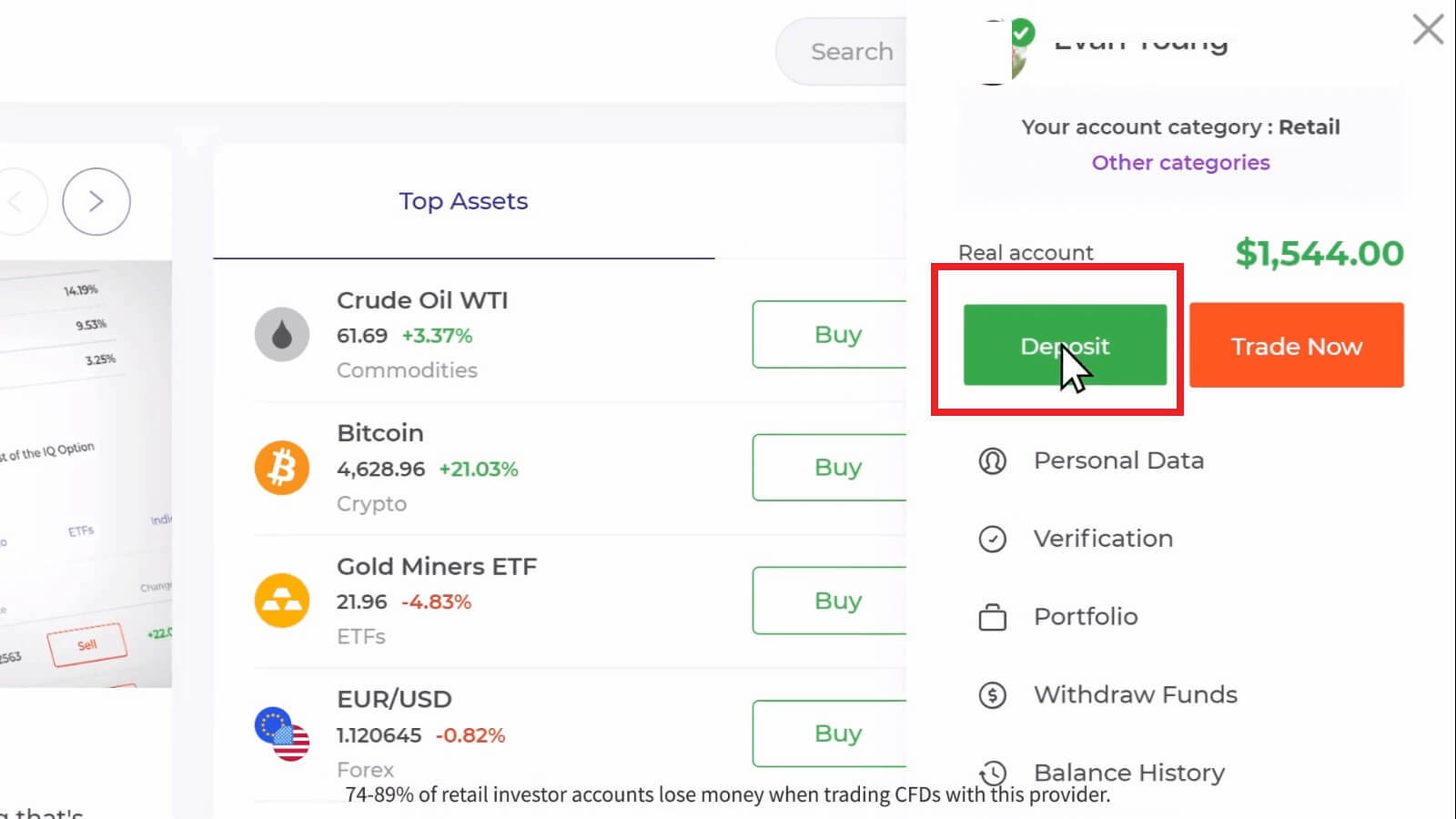
3. Click on the “Deposit” button.
If you are on IQ Option home page, press the "Deposit" button in the upper right corner of the main website page.

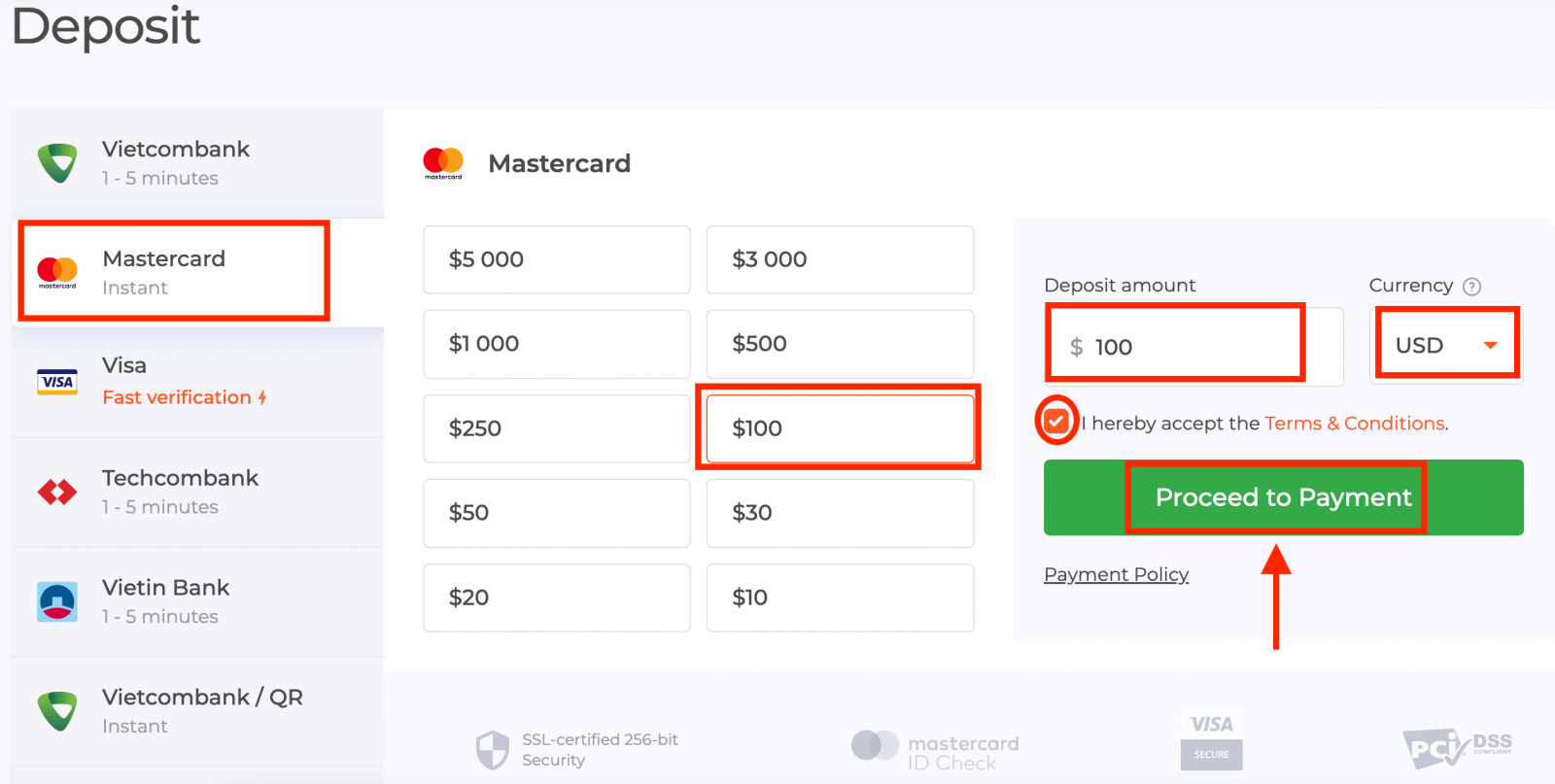
Select the "Mastercard" payment method, enter a deposit amount manually, or select one from the list and click "Proceed to Payment".
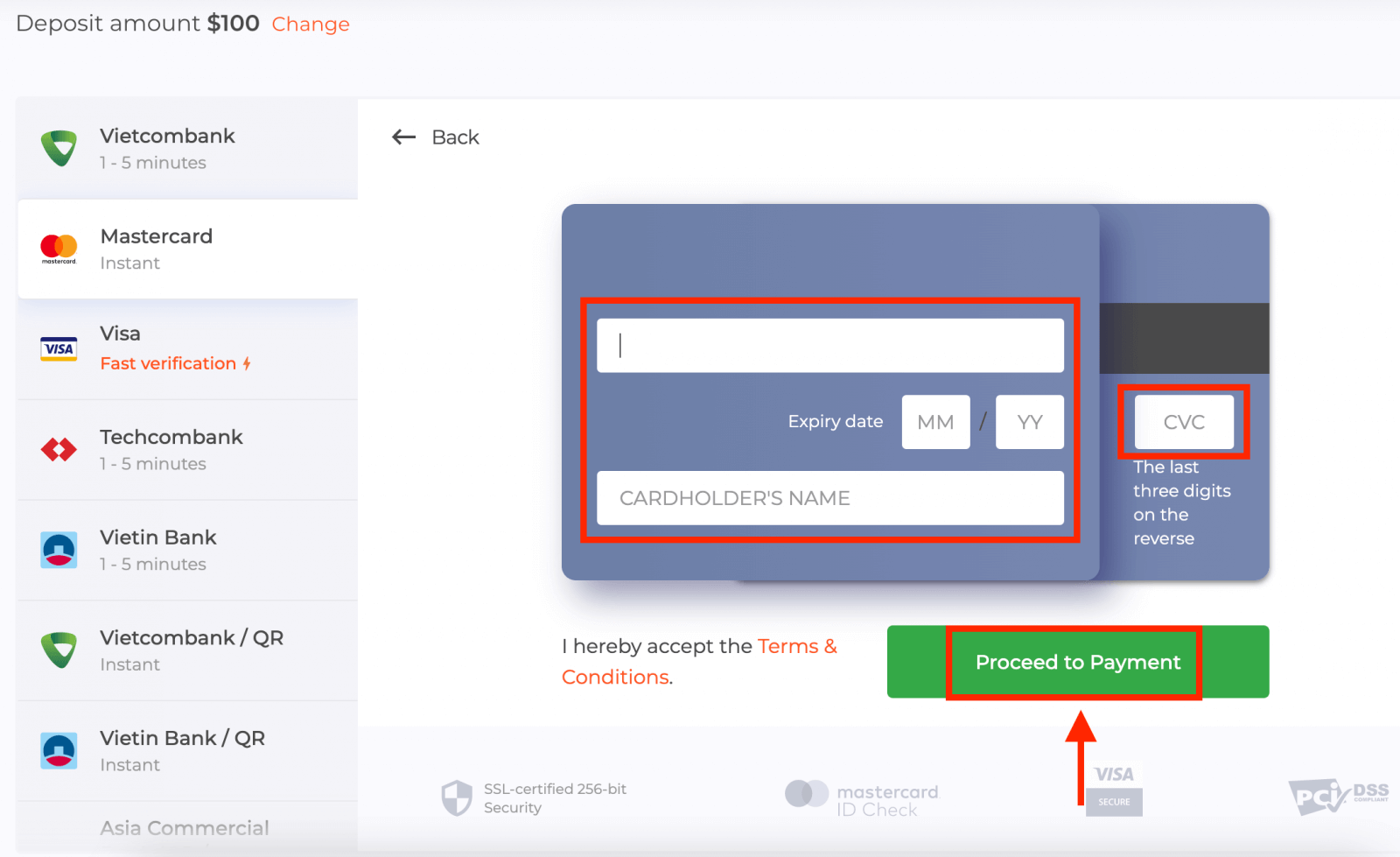
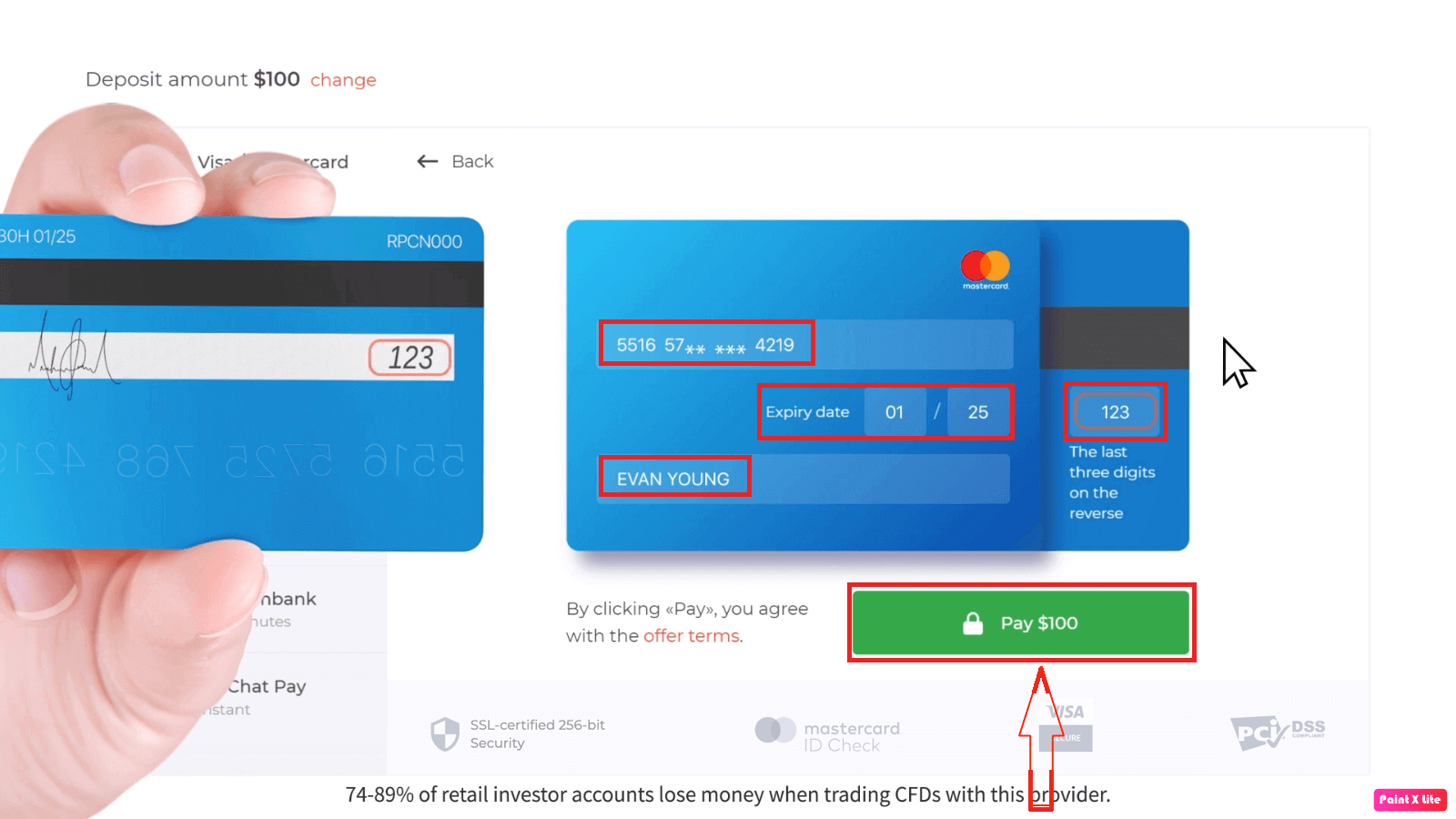
5. You will be redirected to a new page where you will be requested to enter your card number, cardholder name, and CVV.Payment methods available to the reader may be different. For the most up-to-date list of available payment methods, please refer to the IQ Option trading platform
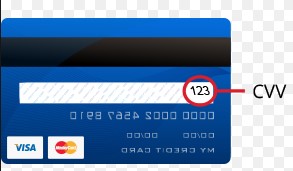
The CVV or СVС code is a 3-digit code that is used as a security element during online transactions. It is written on the signature line on the back side of your card. It looks like below.
To complete the transaction, press the "Pay" button.
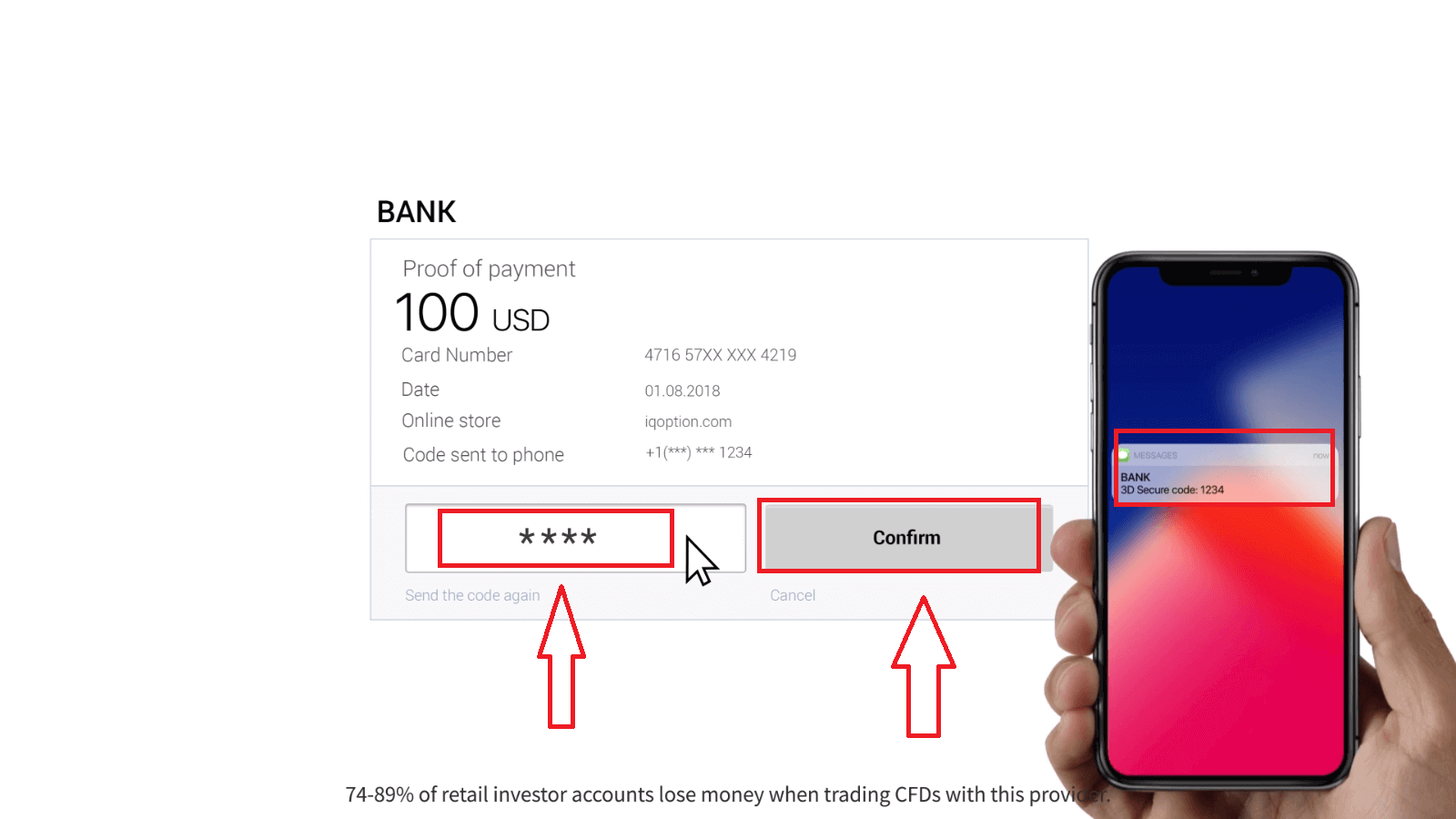
On the new page that opened, enter the 3D secure code (a one time password generated to your mobile phone that confirms the security of the online transaction) and click the "Confirm" button.
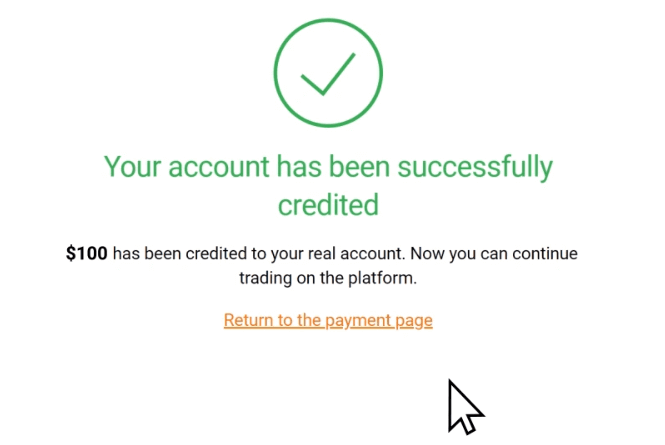
If your transaction has been completed successfully, a confirmation window will appear and your funds will be credited to your account instantly.
When making a deposit, your bank card gets linked to your account by default. Next time you make a deposit, you won’t have to enter your data again. You will only need to choose the necessary card from the list.
Deposit via Internet Banking
1. Click on the “Deposit” button.If you are on IQ Option home page, press the "Deposit" button in the upper right corner of the main website page.
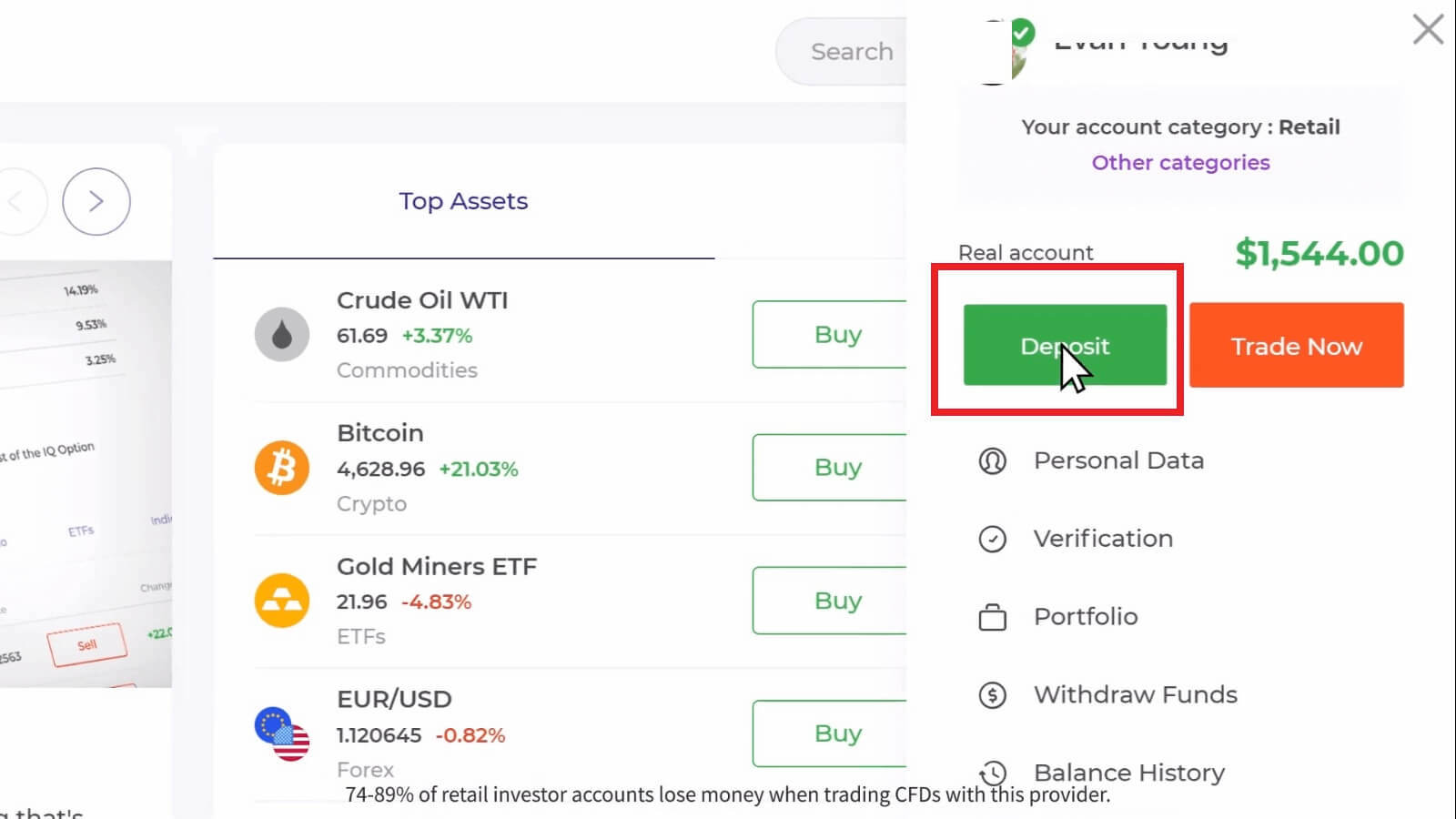
If you are in the trade room, press on the green ‘Deposit’ button. This button is located at the top right corner of the page.

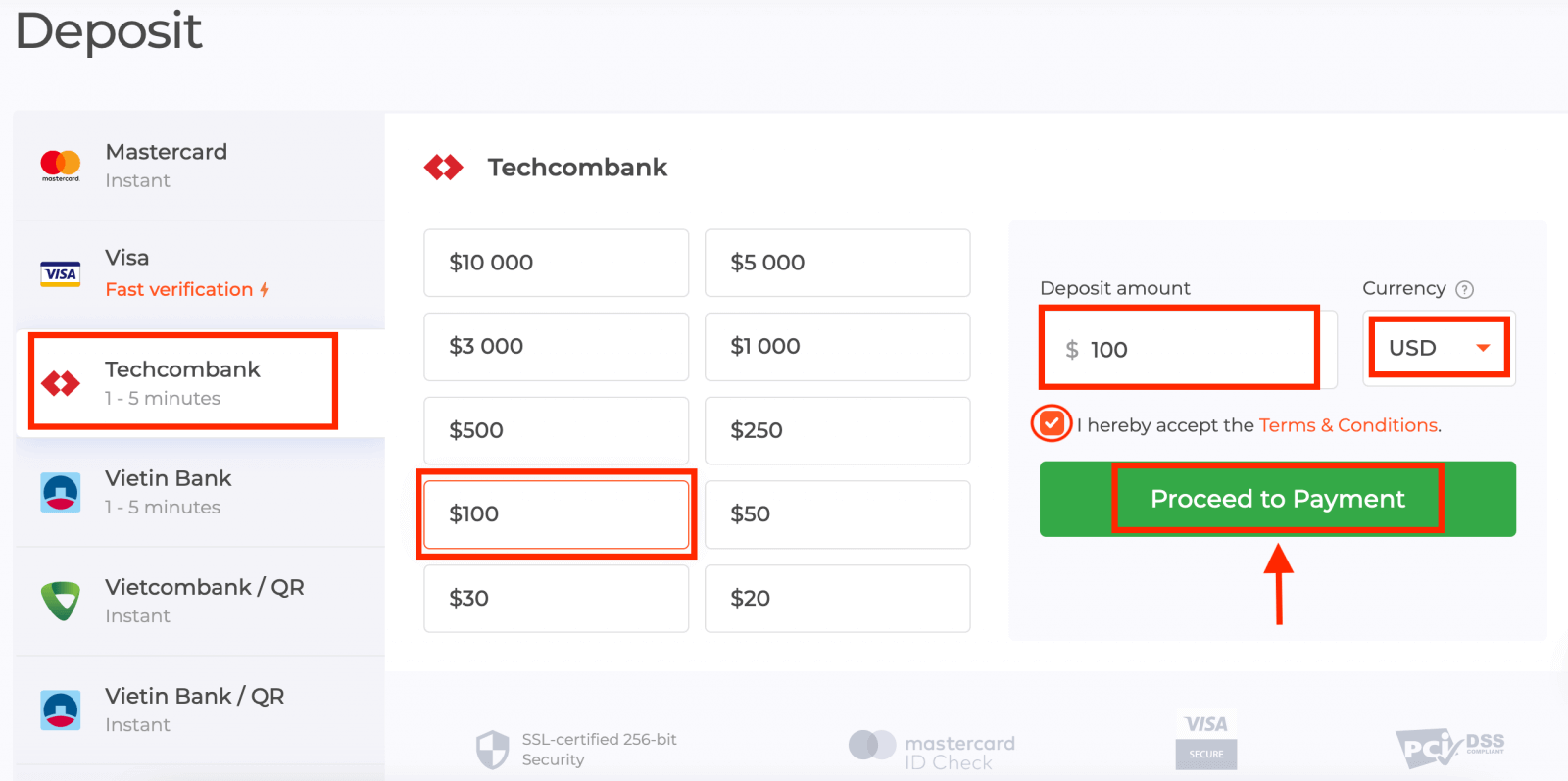
2. Select the bank you would like to deposit (in my case it is Techcombank), then you may enter a deposit amount manually or select one from the list and press "Proceed to Payment".
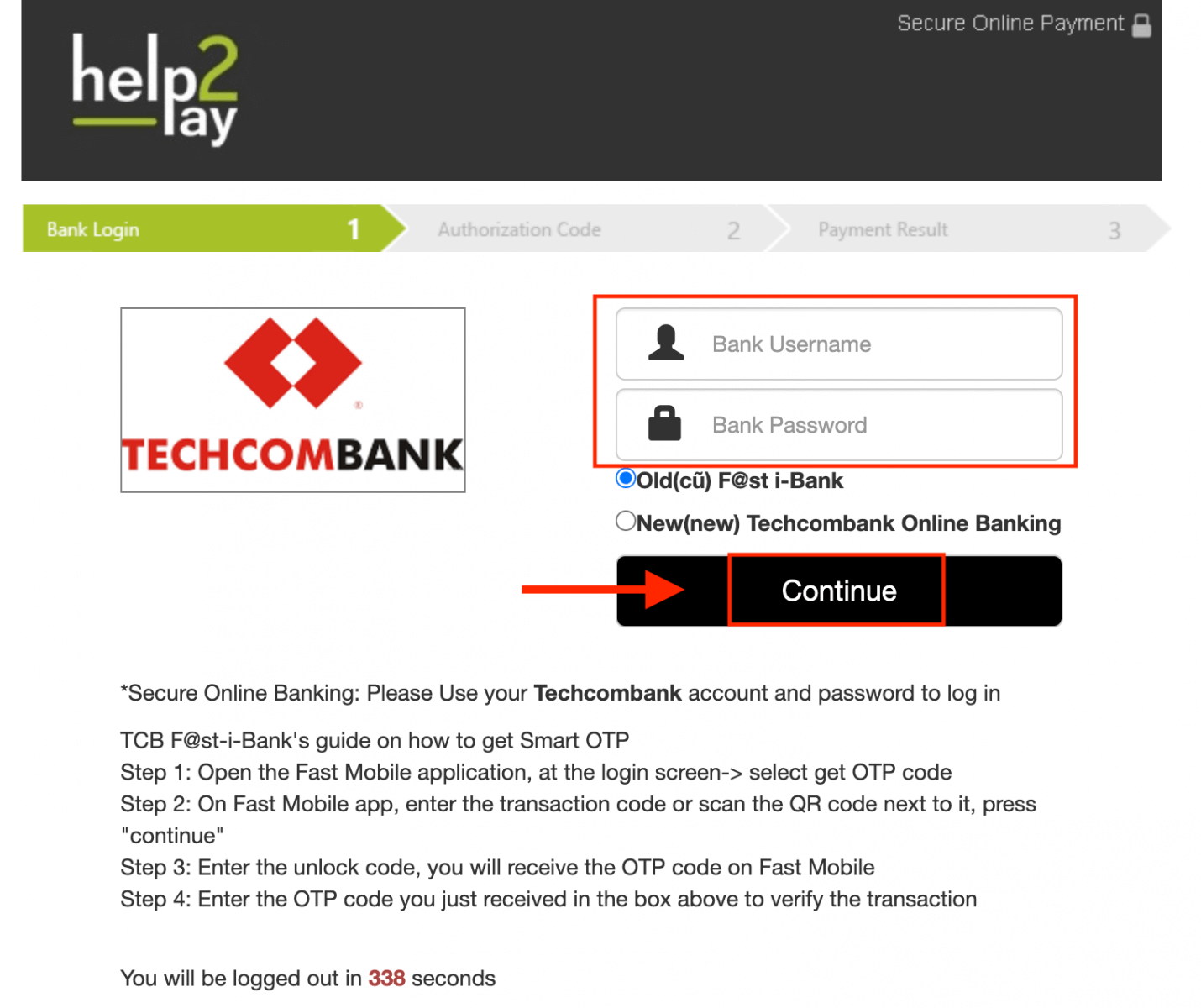
Enter your bank account username and password and click on the “Continue” button.
Note: you have to complete the operation within 360 seconds.
3. Please wait while the system is connecting to your bank account and do not close this window.
4. Then you will see the transaction ID, that will help to get the OTP on your phone.
It is very easy to get the OTP code:
- click on the “Get the OTP Code” button.
- enter the transaction ID and click the “Confirm” button.
- receive the OTP code.
5. If the payment was successful you will be redirected to the following page with the amount of the payment, date and transaction ID indicated.
Deposit via E-wallets (Neteller, Skrill, Advcash, WebMoney, Perfect Money)
1. Visit IQ Option website or mobile app.2. Login to your trading account.
3. Click on the “Deposit” button.
If you are on IQ Option home page, press the "Deposit" button in the upper right corner of the main website page.
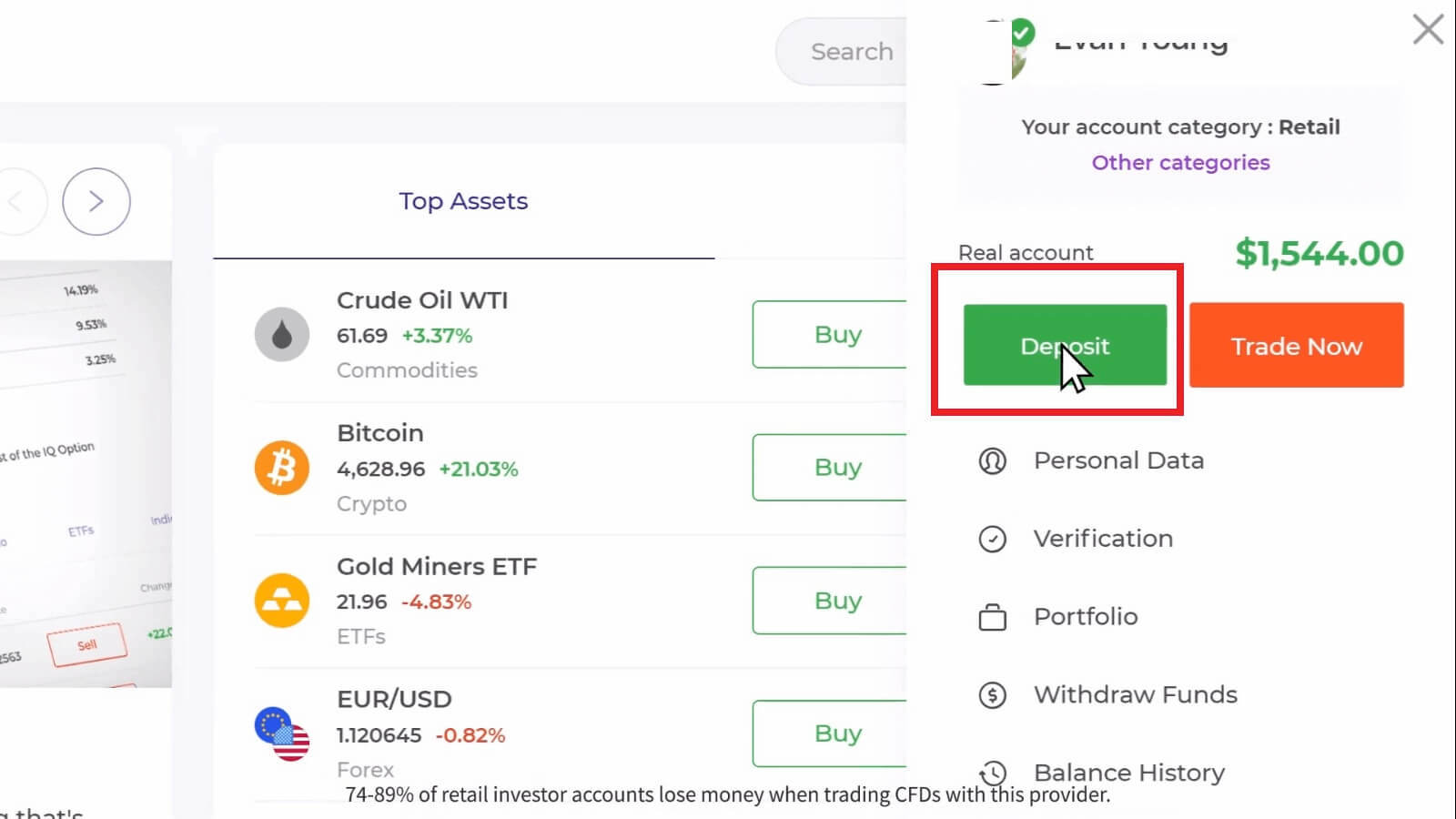
If you are in the trade room, press on the green ‘Deposit’ button. This button is located at the top right corner of the page.

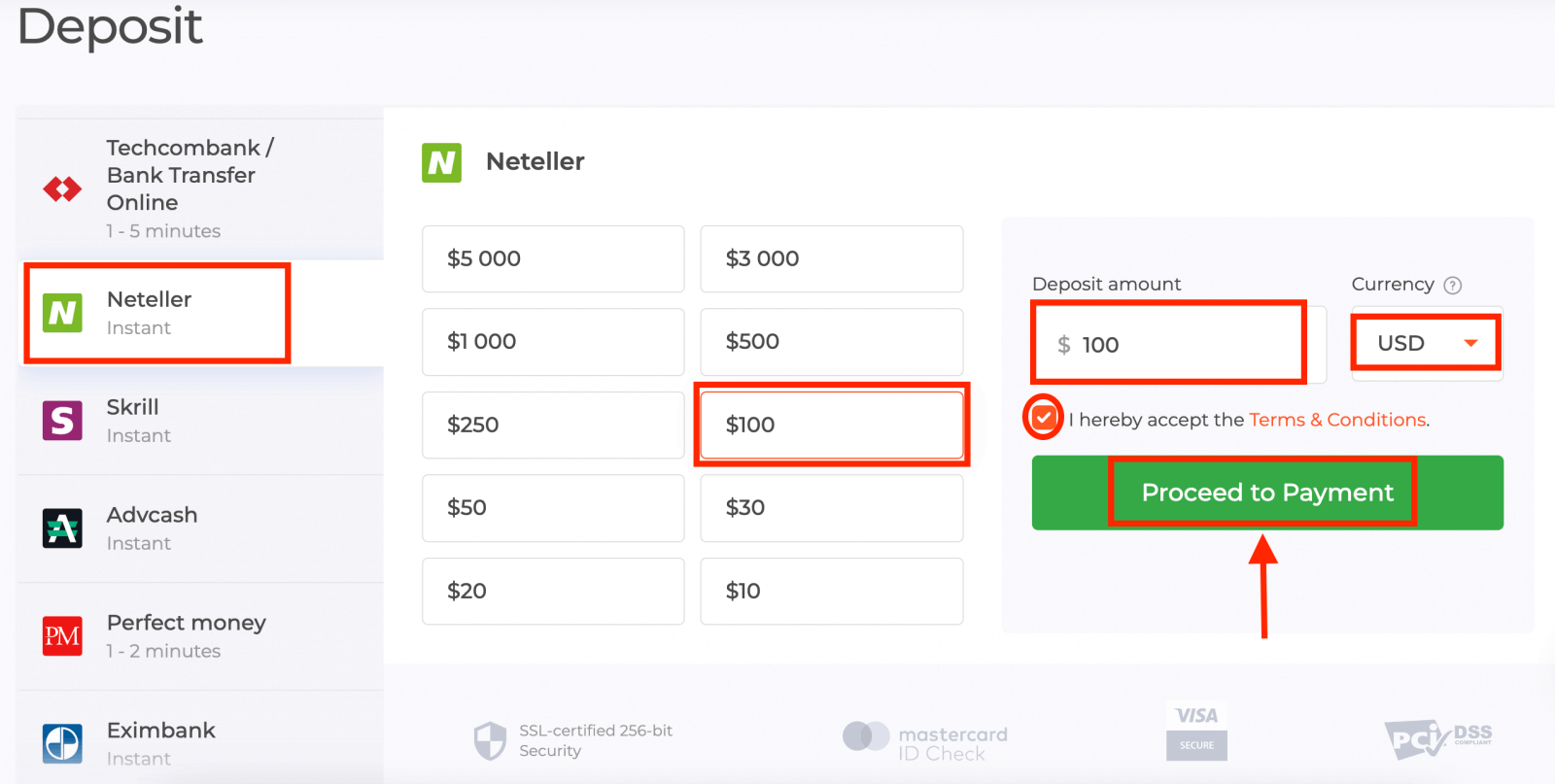
4. Select the "Neteller" payment method, then you may enter a deposit amount manually or select one from the list and press "Proceed to Payment".
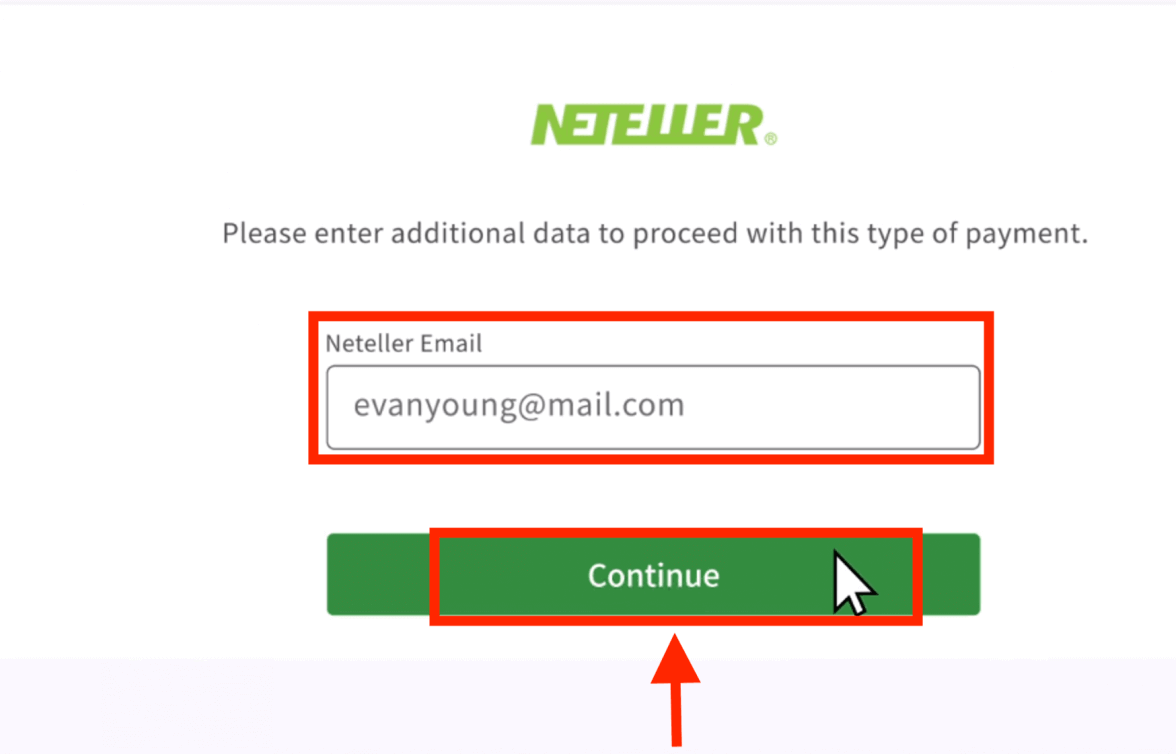
5. Enter the email address you used to sign up with Neteller and press "Continue".The minimum deposit is 10 USD. If your bank account is in a different currency, the funds will be converted automatically.
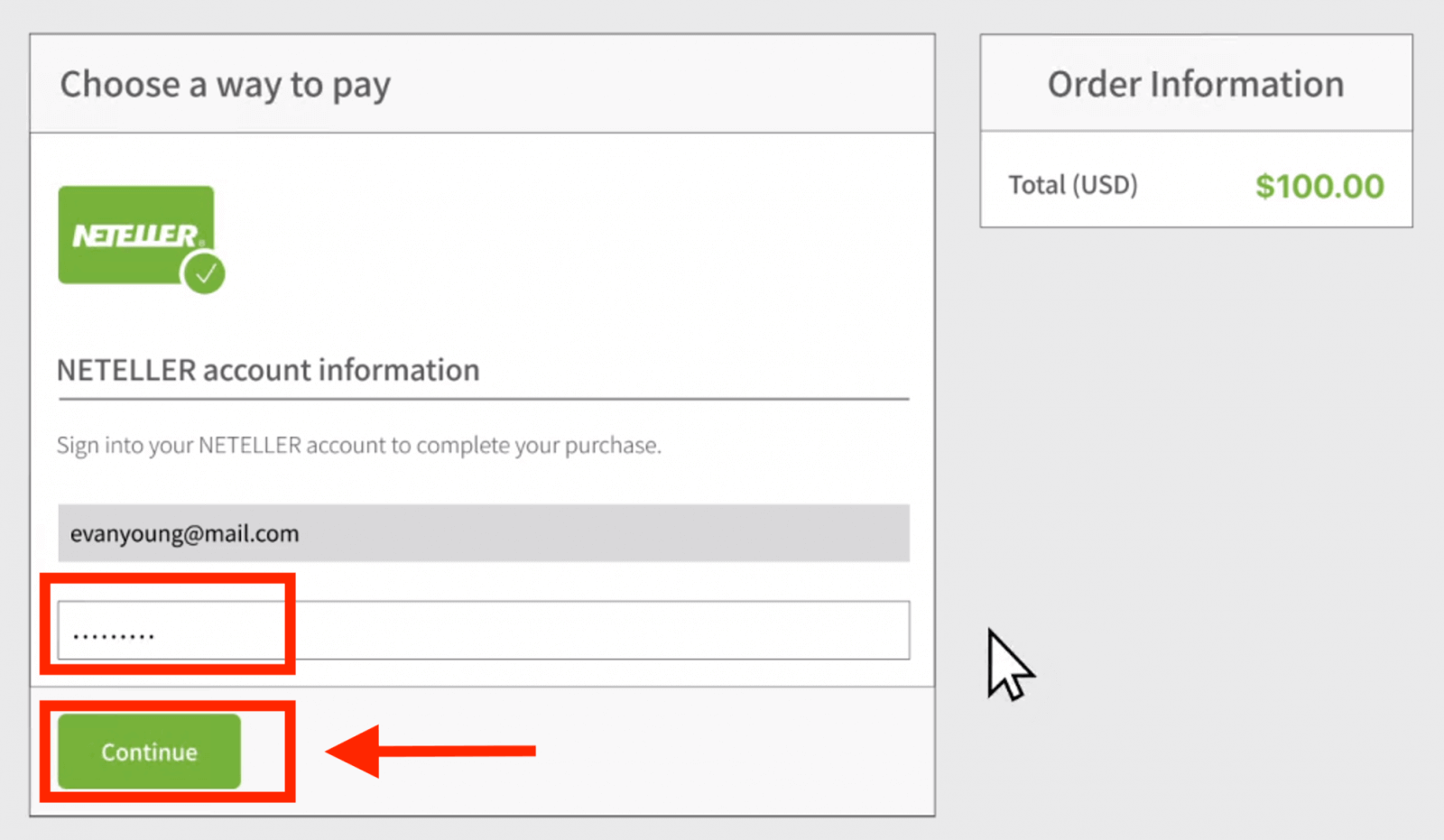
6. Now enter the password of your Neteller account in order to sign in and press "Continue".
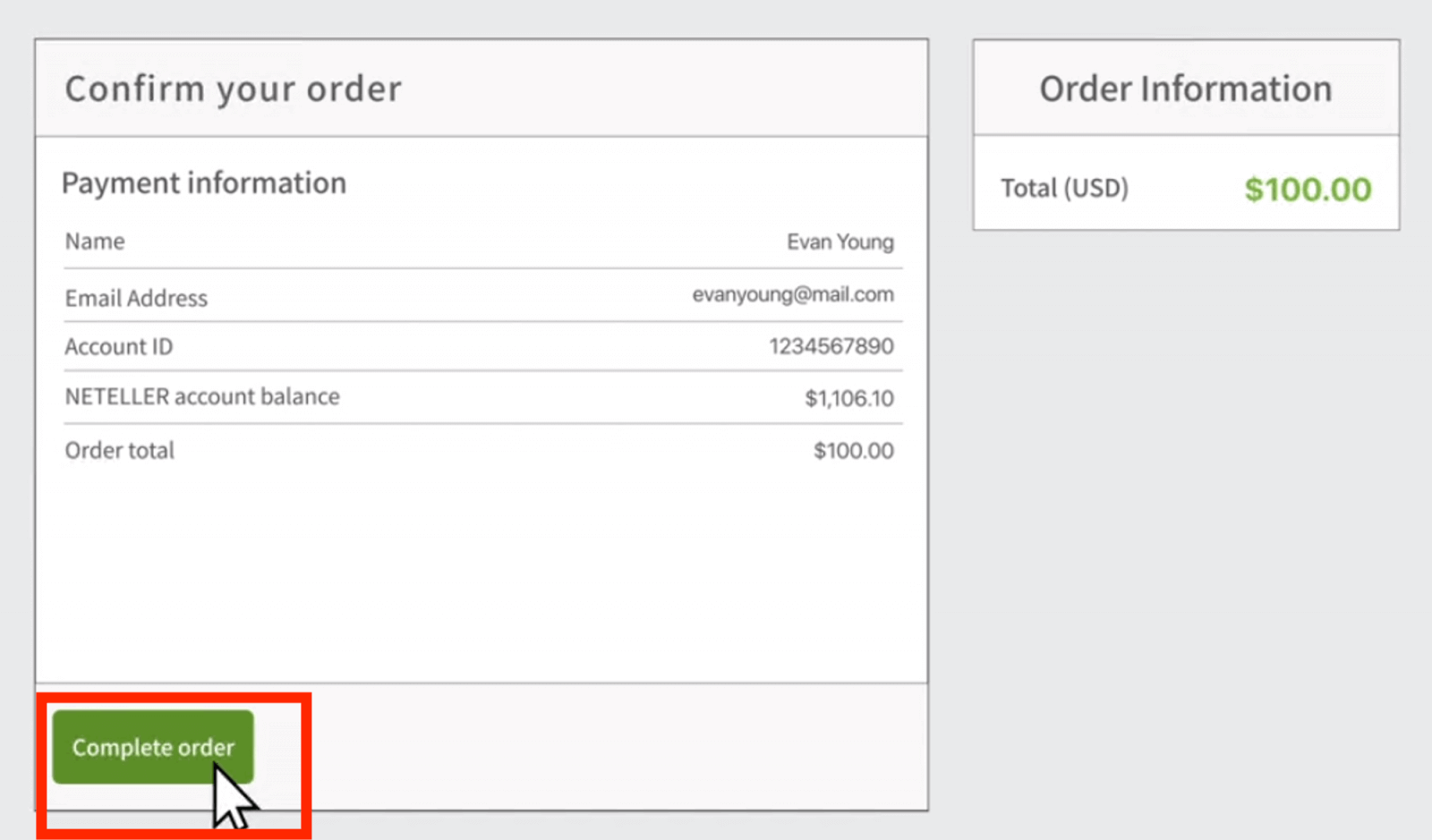
7. Check the payment information and click "Complete order".
8. Once your transaction has been successfully completed, a confirmation window will appear.
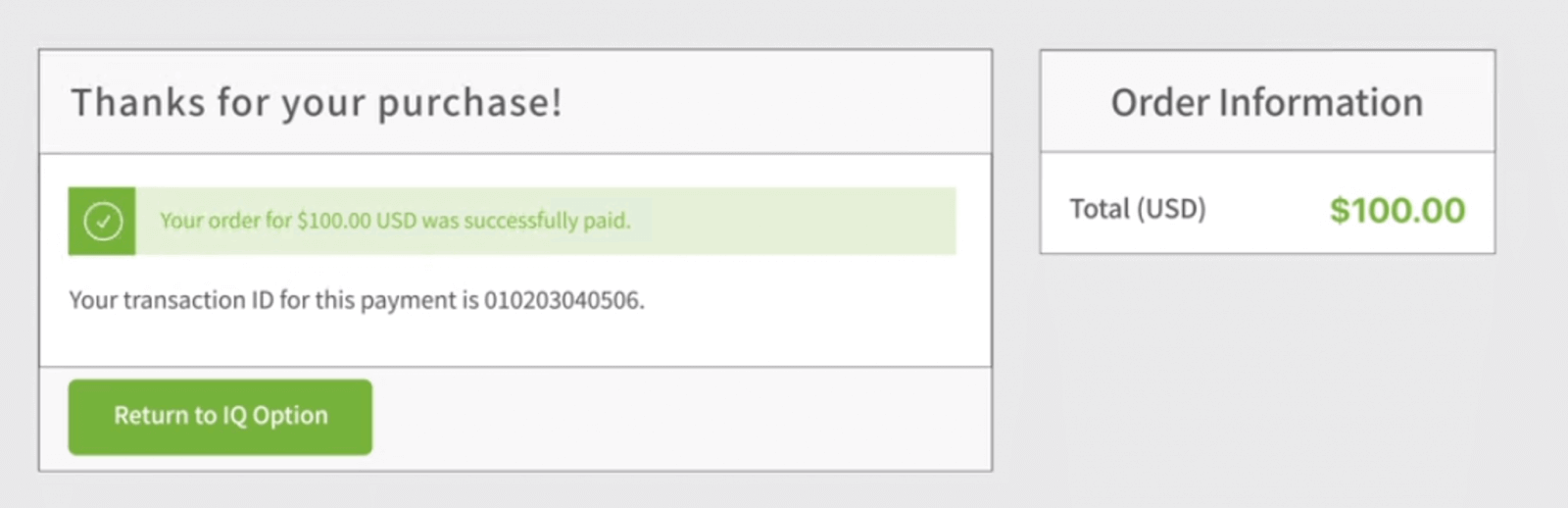

Your funds will be credited on your real balance instantly.
Where is my money? A Deposit was made to my account automatically
IQ Option company is not able to debit your account without your authorization.Please make sure that a third party doesnt have access to your bank account or e-wallet.
It’s also possible that you have several accounts on IQ Option website.
If theres any chance that someone got access to your account on the platform, change your password in the settings.
Frequently Asked Questions (FAQ)
How long does it take for the boleto I paid to be credited to my account?
Boletos are processed and credited to your IQ Option account within 2 business days. Please note that IQ Option have different boletos, and they usually vary only in the minimum processing time, being 1 hour for fast boletos and 1 day for the other versions. Remember: business days are only from Monday to Friday.
I paid a fast boleto and it didn’t come into my account in 24 hours. Why not?
Please note that the maximum processing time for boletos, even the fastest, is 2 business days! Therefore, it means that there is only something potentially wrong if this deadline has expired. It is common for some to be credited quickly and others not. Please just wait! If the deadline has expired, contact IQ Option via support.
How long does it take for the deposit I made by bank transfer to arrive in my account?
The standard maximum time limit for bank transfers is 2 business days, and it can take less. However, just as some boletos are processed in less time, others may need all the time of the term. The most important thing is to make the transfer on your own account and place a request through the website/app before making the transfer!
Can I deposit using someone else’s account?
No. All deposit means must belong to you, as well as the ownership of cards, CPF and other data, as stated in IQ Option Terms and Conditions.
What if I want to change the currency of my account?
You can only set the currency once when you first try to fund your account.You will not be able to change the currency of your real trading account, so please make sure you select the correct currency before clicking the "Proceed to Payment" button.
You can make a deposit in any currency and it will be automatically converted to the currency you regularly use..
Debit and credit cards. Can I deposit via credit card?
You can use any Visa, Mastercard, or Maestro (with CVV only) debit or credit card to deposit and withdraw money, except for Electron. The card must be valid and registered in your name, and support international online transactions.
I have problems depositing via card
Use your computer to fund your account, and it should work right away!Clear temporary internet files (cache and cookies) from your browser. To do this, press CTRL+SHIFT+DELETE, select the ALL time period, and choose "Clear". Refresh the page and see if anything has changed.
Your deposit may be declined if you enter an incorrect 3-D Secure code (a one-time confirmation code sent by the bank). Did you receive the code in the text message from your bank? Please contact your bank if you didn’t receive it.
This can also happen if the "country" field in your data is blank. In this case, the system will not understand which payment method it should offer because the available payment methods vary by country. Enter your country of residence and try again.
Some deposits may be declined by your bank if it has restrictions on international payments. Please contact your bank and verify this information with them.
You can always make a deposit with an e-wallet.
IQ Option supports the following: Skrill, Neteller.
You can easily register with any of them online for free, and then use your bank card to add money to the e-wallet.
FAQs
Minimums vary by payment method and by region; many card and e-wallet options commonly accept low deposits (often around $10) but bank transfers can have higher thresholds. Currency support depends on your country and the chosen provider, so check the deposit screen in your account for exact limits and available currencies.
Log into your account, open the Deposit page, select Card, enter card details, amount and currency, then complete any 3‑D Secure or authentication prompts. Confirm the transaction and wait for the platform acknowledgement. If the card is declined, verify name, expiry, CVV and that the card is enabled for online and international payments.
Common causes include insufficient funds, mismatched cardholder details, failed 3‑D Secure authentication, daily card limits, or the payment provider blocking the transaction for security reasons. Check your bank app or messages for blocks, confirm card data and currency, try a different payment method, or contact your bank to authorise the payment. If the platform still shows a failure, save screenshots and contact IQ Option support with transaction IDs.
In many cases you can deposit before full identity verification, but IQ Option may request ID, proof of address or card photos for larger amounts, withdrawals or regulatory checks. Completing verification early reduces holds and speeds up future withdrawals, so upload documents proactively if you plan larger funding.
E-wallet and card deposits are usually instant or near-instant, letting you trade right away after platform confirmation. Bank transfers can take one to several business days depending on the provider. Always wait for the platform confirmation rather than the bank notification before opening live trades.